How to reduce cost per click with AI minus noise
You are not losing on CPC because you lack ad volume. You are losing because your AI output is creating variance faster than your team can attribute, QA, and decide what to do next.
We built Advertisable AI because performance teams kept hitting the same wall: AI can generate plenty of ads, but without Brand DNA guardrails and scene-level control, you pay for noise. In Advertisable AI Studio, our Storyboard Editor and Scene Regenerator keep changes isolated, and our Variation Engine helps you ship single-variable batches that you can actually read within 72 hours.
Next, we’ll get specific about the only question that matters: how AI can reduce CPC without creating more noise than you can measure.
How does AI reduce CPC without creating noise?
Your goal is lower CPC with stable CVR, not cheaper clicks that stop converting. Treat CTR and thumbstop rate as your early indicators, then validate that CVR holds. To keep learning attributable, use one change per batch and hold everything else constant.
The CPC equation you control
AI reduces CPC when it raises attributable CTR, because higher CTR typically lowers the effective price you pay per click inside the same auction. You cannot negotiate auction pressure, competitor bids, or seasonal demand, so you win by improving how often your impression turns into a click.
In practice, creative is the controllable input. You can change a hook, a proof element, or a CTA while keeping targeting and spend stable long enough to see a clean readout, typically over 48 to 72 hours.
- Primary lever: CTR (drives CPC down when the auction rewards engagement)
- Uncontrolled forces: competitor density, bid inflation, inventory quality
- Controlled input: creative decisions you can ship and isolate (especially the hook and first seconds)
Why AI volume makes CPC worse
High-volume generation usually increases CPC because it mixes variables faster than your account can learn. When every variant changes the hook, offer, pacing, and visuals at once, you get performance noise instead of causality.
Frequent swaps also reset learning. Platforms need time to find responders for a given creative; constant changes force the system back into exploration, which often means paying more for uncertain delivery.
Operationally, volume creates a QA backlog: more brand checks, claim checks, and format fixes. That delay pushes launches later, so you spend on weaker ads longer while “better” variants wait in review.
The 72-hour workflow for AI creative tests that lower CPC
Run this like an ops loop, not a creative free-for-all. Name every batch so attribution stays clean: Channel-Placement-Audience-Beat-Test-Week (example: Meta-Reels-Prospecting-Hook-H3Wk32) and keep the name identical in your build folder, ad set name, and sheet.
Hold constants that silently move CPC: format (9:16 vs 1:1), length (pick one, like 15s), and CTA (exact words and end card). Your decision tree is simple: if CTR misses, iterate the Hook; if CTR hits but CPC does not, your Problem-Proof alignment is off; if CTR and CPC improve, roll the winning beat forward and test the next beat.
Build the four-beat anatomy
Every AI creative test should map to four beats: Hook, Problem, Proof, CTA. The only way you learn fast is when a variant changes one beat and keeps the other three locked.
Treat one beat as one hypothesis. A Hook hypothesis might be a different thumb stop or first-second promise; a Proof hypothesis might be swapping the credibility mechanism while keeping the claim identical.
- Hook acceptance: product or outcome is clear in the first 1-2 seconds; no brand drift vs Brand DNA; no new claim types introduced
- Problem acceptance: one specific pain point, one audience, no extra features layered in
- Proof acceptance: same offer language, same claim boundaries, proof is auditable (testimonial, demo moment, before-after, or quantified statement you can defend)
- CTA acceptance: same CTA text, same placement, same end frame
Lock three beats, test one
Start with hook-only batches. Hooks are the fastest lever on CTR, and CTR is the cleanest early signal you can tie back to CPC without waiting on downstream noise.
Lock your offer and proof language word-for-word so you are not testing two things at once. Also lock one audience and one placement set so delivery does not become the variable.
- Batch size: 6-12 hook variants per concept, all sharing identical Problem, Proof, and CTA beats
- One ad set only: same targeting, same optimization event, same placements for the full readout window
- Production control: storyboard-first review, then regenerate only the Hook scene when you iterate
48 to 72 hour readouts
Read variants on a fixed 48 to 72 hour window, with a minimum spend per variant you commit to before you launch. If you cannot afford meaningful spend across the batch, shrink the batch size rather than cutting the window.
Tie kill decisions to CTR so you stop paying to learn slowly. After 72 hours, you should have paused clear losers, kept your top 2-3, and rolled those winners into the next batch, which is aligned with creative testing best practices.
- Minimum spend per variant: set a hard floor you will reach before judging, and apply it uniformly across the batch
- Kill criteria: variants materially below your batch median CTR after the spend floor get paused
- Promotion rule: top performers become the new control, then you test the next single beat (Problem, then Proof, then CTA)
What metric tells you if AI is saving money?
Cost per render misleads because it prices the easy part (generation) and ignores the expensive part: getting something approved, exported, and live without back-and-forth. The metric you want is cost per shippable variation, because that is what determines whether AI increases throughput or just increases noise and labor.
Log QA outcomes the same way every time: each variation gets a single final status (Shipped, Needs rework, Rejected) plus one primary fail reason chosen from a fixed list. If you cannot hit a steady cadence of 50 to 100 shippable iterations per week, the tool is not saving money in practice, even if renders look cheap.
Cost per shippable variation formula
Cost per shippable variation equals generation cost plus the human time to QA, fix, export, and launch. If your CPC is not improving, this metric tells you whether AI is actually reducing total work per learning cycle or quietly adding it.
Rework rate is the cost driver. Every variation that fails QA multiplies the review loop, pulls a strategist or editor back in, and delays your next 48 to 72 hour readout.
Treat hours-to-launch as a hard constraint: a variation that takes 2 days to clear QA is more expensive than one that ships in 2 hours, even if the generator credits were identical.
- Formula: (tool credits or generation fees) + (QA minutes x loaded hourly rate) + (rework minutes x loaded hourly rate), divided by shipped variations
- QA log fields we use: status, primary fail reason, minutes to fix, and who approved
- Watch two numbers weekly: shippable rate (%) and median hours from first render to launch
Scene changes beat full rerenders
Scene-level changes usually beat full rerenders because you regenerate only the weakest beat and keep the rest constant. That protects your cost per shippable variation by cutting rework time and keeping QA focused.
Full rerenders compound variables. You change the hook, proof, visuals, and pacing at once, then spend QA cycles debating what broke and you lose the learning.
A faster loop matters because each shipped iteration is a data point. If you can swap one beat and relaunch within 48 to 72 hours, you get more controlled learns per week without raising manual overhead.
- Regen the weakest beat only: usually the first seconds (hook) or the proof element, not the whole storyboard
- Hold constants: Brand DNA guardrails, offer, avatar, and CTA so QA checks stay predictable
- Ship smaller, cleaner batches: 5 to 10 hook variants per concept, then double down on the top 2 to 3
How do you keep AI ads on-brand while testing fast?
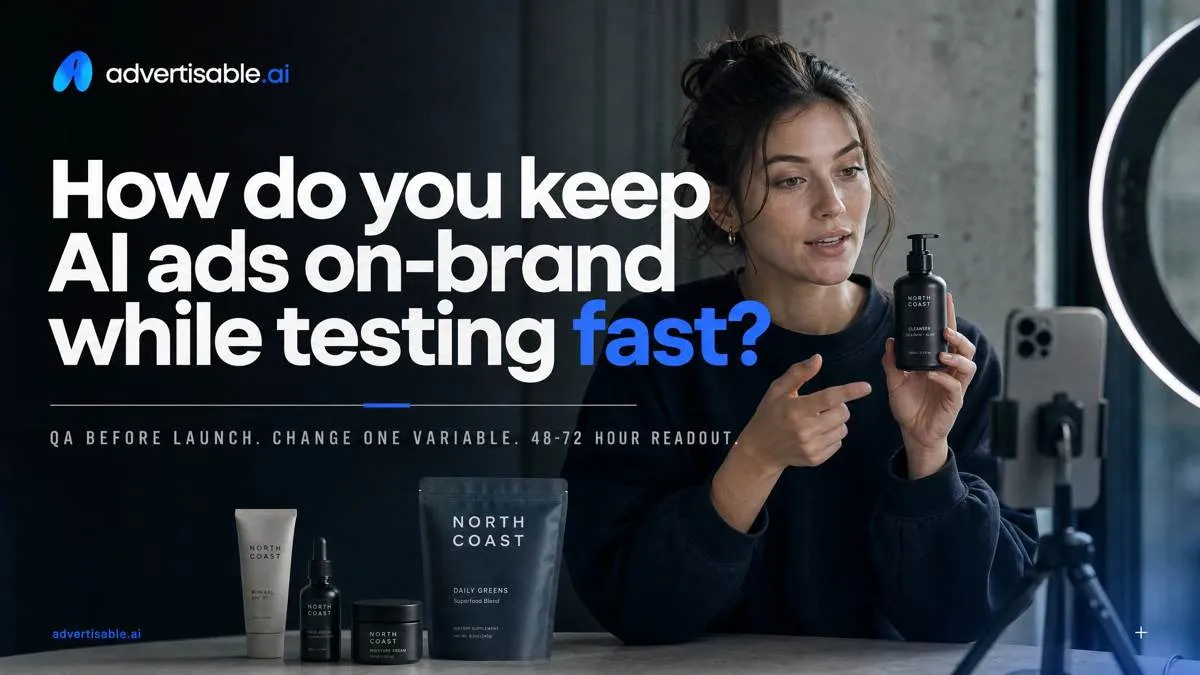
Speed comes from making “shippable” binary. QA before launch: correct format, legible captions, product shown when promised, no broken logos, clean audio, and one named variable changed for your 48-72 hour readout.
Run a claim substantiation pass before export: every quantified benefit, comparison, or “#1” statement needs a source you can produce on request, or it gets rewritten.
Triage drift instead of restarting: fixable in-scene (swap line, replace frame) gets regenerated; brand-system violations (new promises, new audience, new look) get rejected and re-briefed.
Brand guardrails that prevent rework
The fastest way to test is to lock what you will not debate. We set tone boundaries (allowed adjectives, banned competitors/insults) and claim boundaries (no superlatives, no medical or financial certainty, no unverified numbers) before generating variants.
Keep a visual do-not-change list so every variant is recognizable as the same brand while you test one beat at a time.
- Tone rails: 3 approved tones and 5 banned phrases your reviewers always reject
- Claim rails: what requires proof vs. what is always disallowed
- Visual do-not-change: logo placement, brand colors, typography, end card layout, product pack shot angle
- Compliance-safe phrasing bank: pre-approved alternatives for “best,” “proven,” “instant,” “guaranteed,” and “before/after” language
Platform disclosure and policy checks
Treat disclosure as QA, not legal cleanup. Build platform checks into your export gate so you do not pause spend after review fails.
- Meta synthetic media requirements: disclose when content is digitally created or altered in a way a person would likely mistake as real, and avoid prohibited deceptive uses
- TikTok AI content disclosures: label AI-generated or significantly edited media when it could mislead, and keep disclosures consistent across iterations
- YouTube misleading claims policies: remove unverifiable performance claims, “too good to be true” promises, and deceptive demonstrations before upload
Make the workflow practical in Advertisable AI Studio
In Advertisable AI Studio, the Variation Engine keeps your batches controlled so you can change one variable without breaking everything else. Log outcomes as shippable or not shippable, plus the single reason, so your next batch is a decision, not a debate. Trial workflow: ship 3 batches in 3 days, one hook concept per batch, with a 48 to 72 hour readout window.
Storyboard-first testing in practice
Storyboard-first testing works when you treat brand rules as constraints, not suggestions, before you render anything. Start by extracting Brand DNA from the product URL so the system carries your claims, tone, and visual cues into every scene.
Then lock three beats pre-render: your proof beat, your offer or CTA beat, and your close. What stays flexible is the hook beat, because that is where you want clean learning.
Use the Storyboard Editor to approve scenes as scenes, not as a final video. You are checking for on-brand language, correct product facts, and a single obvious hook variable before you spend time rendering.
- Acceptance criteria before render: brand-compliant wording, accurate product proof, CTA readable on mobile, one hook concept change only
Regenerate only the hook scene
You do not need full rerenders to iterate fast. Use the Scene Regenerator on the weakest beat, usually the hook, and keep the rest of the storyboard intact so performance changes are attributable within 48 to 72 hours.
Hold proof and CTA constant across the batch. That prevents the common failure mode where you “win” CTR but cannot explain whether it was the promise, the credibility, or the ask that moved.
Export-ready variants matter because throughput dies in formatting. Generate your hook-only variants, then export in platform-ready sizes for launch without manual rebuilds.
- Keep constant: proof scene, CTA scene, avatar choice, product visuals
- Regenerate: hook line, first visual, first-second pacing
Run the next 72-hour test with control, not more noise
If your CPC is rising, your fastest lever is not more variants. It is a tighter learning loop. That means storyboard-first creative, locked constants, and one-variable batches you can read in 48 to 72 hours without guessing what moved.
Start the Advertisable AI Studio $5, 3-day trial and run this exact sequence: paste a product URL into our Brand DNA Extractor, generate a four-beat storyboard, then lock three beats and change only the hook. Use the Storyboard Editor to apply acceptance criteria before you spend: brand compliance, claim safety, and platform format readiness. Then ship a hook-only batch with the Variation Engine, and use the Scene Regenerator to iterate the first scene without re-rendering the full ad.
Frequently Asked Questions
What is the difference between cost per click (CPC) and customer acquisition cost (CAC)?
CPC tells you what you paid for a click. CAC tells you what you paid for a new customer, which includes everything that happens after the click, including conversion rate and tracking. Use CPC to measure creative efficiency at the top of funnel, and CAC to confirm the business outcome did not degrade.
Why should I measure cost per shippable variation instead of cost per render?
Cost per render ignores the work that slows you down: QA, rework, approvals, and exports. Cost per shippable variation captures the real unit economics of testing because it counts only variants that meet acceptance criteria and can launch on schedule. That is the number that predicts whether your 48 to 72 hour loop is actually sustainable.
How do I avoid creative fatigue without making more ads?
Treat fatigue as a sameness problem, not a volume problem. Keep your four-beat anatomy consistent, then rotate one beat at a time, usually the hook, so performance shifts are attributable. When fatigue shows up, regenerate only the weakest beat and hold the rest constant so you learn quickly instead of restarting from zero.