14 Best AI ad tools 2026 for publish-ready variants
The best AI ad tools in 2026 are the ones that remove your specific workflow bottleneck and keep your publishable output rate high, not the ones with the longest feature list.
We built Advertisable AI because performance teams kept hitting the same wall: you can generate variations, but without Brand DNA guardrails, scene-level edits, and platform-ready exports, you still end up doing the slow parts by hand. Our bias in this list is operational: fewer handoffs, fewer fixes, and more ads that ship.
We’ll start with advertisablee because it treats publishable output rate as the primary KPI, then work outward into where other tools win or create friction in your production line.
1. advertisablee
Your primary KPI is publishable output rate: how many variants you can ship without manual timeline fixes, reformatting, or last-mile QA. If your team keeps “saving drafts” but not publishing, you do not have a generation problem, you have an export and compliance problem.
The control layer is Brand DNA guardrails plus hard QA checks, so variants do not drift on claims, product facts, logos, or required disclosures as volume scales.
In our work on Advertisable AI, we focused on publish-ready exports and compliance controls: generate from a product link, lock Brand DNA, edit at the scene or frame level, then export in platform-ready formats for Meta, TikTok, and YouTube without rebuilding assets by hand.
2. Wireflow
Wireflow is a credible benchmark for workflow-first ad generation because it treats creative production like a pipeline: you chain steps on a node canvas, then reuse that recipe across briefs. That structure can outperform prompt-only tools when you need batch generation for variant testing, since you can lock inputs and run single-variable batches with 48 to 72 hour readouts. It is strongest when your workflows are standardized.
Friction shows up when your real stack adds handoffs: asset naming, versioning, and QA still live outside the canvas.
3. AdCreative.ai
AdCreative.ai is built for high-volume static creative generation plus predicted performance scoring, which is why performance teams trial it early. The cost trap is credits: you pay when you download, so your real unit cost is dollars per usable export, not dollars per generated idea. It is strongest when you run tight single-variable batches, hold layout constant, and rotate only one input (headline, offer, image).
At 50-plus variants, plan for manual cleanup time: brand fonts, line breaks, logo placement, and compliant copy often need human QA, and that labor is what spikes cost per publishable ad.
4. Pencil
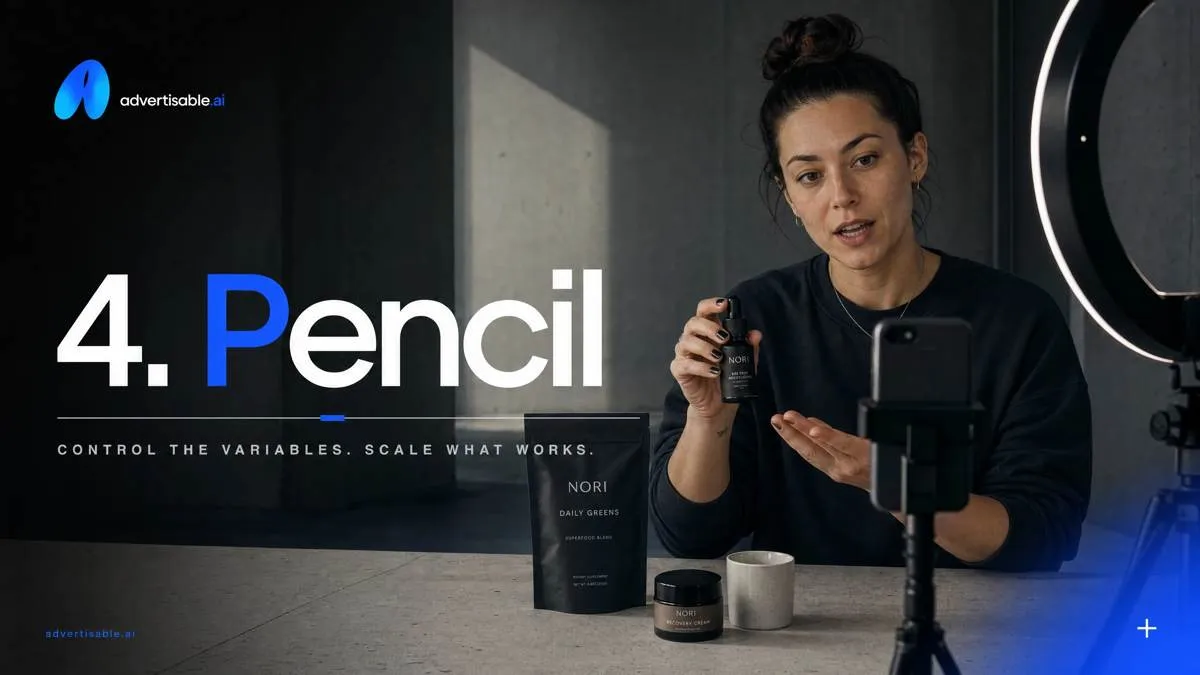
Pencil is built for brand-oriented creative production where variation volume cannot create brand drift. You typically start by locking the non-negotiables, then iterating in controlled batches so your team can read performance in 48 to 72 hours without changing multiple variables at once. A practical team workflow is: hold constant your logo placement, fonts, and claim language, then rotate one element per batch (hook, first scene, offer framing) and only scale winners.
The trade-off is upfront setup and ongoing governance: you will spend time defining rules, training reviewers, and maintaining approval paths so speed does not turn into compliance debt.
5. Omneky
Omneky is the enterprise-leaning pick when your bottleneck is not generation, but process: formal approvals, auditability, and predictable handoffs. It fits teams that need structured review loops before anything ships, and it can centralize governance across multiple ad accounts and channels without letting every seat change inputs and outputs ad hoc.
Where it wins in larger orgs is multi-account and team control: you can separate who can generate, who can approve, and who can publish, which reduces brand drift at scale. The trade-off is adoption speed. Expect a heavier onboarding cycle, because you have to align roles, permissions, and approval paths before your publishable output rate improves.
6. Zeely.ai
Zeely.ai is built for ecommerce teams that need a fast path from product inputs to a runnable ad, without designing a workflow from scratch. The tight flow matters when your success metric is time-to-first-usable-variant: you start from product details and assets, generate creative quickly, then test in single-variable batches with 48-72 hour readouts. Pricing starts at $29.95/mo (2,500 credits), with a service fee of up to 12% if you run ads through the platform. The constraint to watch is scaling beyond core templates: once you need differentiated concepts, stricter brand guardrails, or scene-level control, throughput can drop because you are fighting the format instead of iterating the system.
7. Predis.ai
Predis.ai is built for social teams that need volume: it can generate ads and videos, then push scheduling across up to 60 channels. The cost trap is paying for “outputs” but funding QA with people hours, so your real metric is cost per usable variant, not cost per credit.
It is strong when you are repurposing the same core idea into platform-specific sizes and captions fast, then iterating in 48-72 hour readouts.
Plan for extra consistency checks at higher volume:
- Brand elements: logos, fonts, colors, disclaimers
- Copy drift: claims, pricing, offer terms changing across versions
- Export polish: safe zones, cutoffs, subtitle timing
As volume rises, your publishable output rate becomes the bottleneck, not generation speed.
8. Creatify
Creatify is built for UGC-style video generation where your constraint is volume, not a single hero edit. It fits teams running throughput-first iteration cycles: generate a wide first pass, publish a small slice, then use 48 to 72 hour readouts to decide what to regenerate.
At 50-plus outputs, expect quality variance. The failure mode is not rendering, it is creative sameness: hooks converge into the same few patterns, pacing starts to rhyme, and your first two seconds stop being distinct. In practice, you mitigate that by holding three beats constant (product moment, proof, CTA) and rotating only the hook so repetition is visible and fixable.
9. Arcads
Arcads is built for AI-actor, spokesperson-style ads where your bottleneck is filming time, not concepting. The operational win is consistent delivery: you can hold the presenter, lighting, cadence, and framing constant while you swap only the variable you are testing (hook, offer, proof line), so variants stay comparable in a 48 to 72 hour readout.
The trade-off is policy and authenticity review. You need explicit disclosure workflows for synthetic presenters, and FTC's 2024 AI disclosure rules increase the chance that legal and platform checks, not rendering, become the critical path.
10. HeyGen
HeyGen is a leading pick when your constraint is presenter realism plus localization at scale: it supports 175+ languages and dialects and has 700+ stock avatars, so you can keep the same script structure while swapping voice and language cleanly. It also ships fast for talking head variant batches, which helps when you need 20 hooks or offers without reshooting.
The trade-off shows up in brand fit and approvals. Avatars can land slightly off on tone, pronunciation, or wardrobe cues, and that is where paid social teams lose time in review loops. Treat it like an approval-driven format: lock the on-camera template (intro line, disclaimer placement, framing) and only vary one element per batch so stakeholder feedback is actionable.
11. Synthesia
Synthesia is the avatar choice when your constraint is enterprise governance, not raw generation speed. You get controls that support standardized review, role-based access, and auditable usage, plus a consistent presenter library you can reuse across regions and business units so the “spokesperson” does not drift every time a new operator joins the workflow. Synthesia's 2026 expansion announcement also notes 90% of the Fortune 100 use Synthesia, which matches where this governance-first operating model shows up. The trade-off is speed to testable ads: when you need 48 to 72 hour creative readouts, heavier governance and standardization can add cycle time versus lighter tools built for rapid iteration.
12. InVideo AI
InVideo AI is a solid generalist path when you are consolidating tools and need one place to go from idea to editable video quickly. We see it work best for first drafts: generate a script, assemble stock and b-roll, add VO or avatars, then export a presentable cut without building a full creative system. The trade-off shows up in performance ad iteration loops.
When you need single-variable batches with 48 to 72 hour readouts, the workflow can break on control: hook-only swaps, strict brand guardrails, and scene-level regeneration without collateral changes are harder to keep consistent at volume.
13. Midjourney
Midjourney can beat most tools on raw visual aesthetics, especially for stylized, art-directed looks. It is also strong for concept exploration: you can iterate rapidly, use character and style references, and push regional variations to find angles worth testing, as covered in Midjourney's Wikipedia entry.
That quality does not automatically become publish-ready ads. The workflow cost shows up after generation: consistent edits across a batch, brand-safe typography, and clean layout. Midjourney outputs images, not finished ad files, so you often pay the time tax in external editing to place headlines, legal, and CTAs, then re-export in correct specs.
14. Canva
Canva is the downstream layer that often decides whether your AI ad output is actually shippable. It is strong at layout cleanup, fast resizing across placements, and predictable exports, so you can standardize end specs without handing everything back to a designer.
It also works as a handoff hub: non-designers can swap headlines, product shots, and logos inside a template and export correctly, which keeps publishable output rate high when you are producing lots of variants.
The risk is versioning and approval sprawl. Canva copies multiply fast, comments fragment, and “final-v3” becomes real. Set a single source file, lock critical brand elements, and require an explicit approval state before export.
How do you pick the best AI ad tool for publish-ready variants?
The failure mode is predictable: the tool looks cheap per credit, but your publishable output rate is low, so you pay more per usable variant once QA, fixes, exports, and uploads are counted. The selection system is simple: shortlist two tools based on your single biggest bottleneck, then run one controlled batch and choose on cost per usable variant, not sticker price.
The four bottleneck routes
Pick your tool by constraint, not by feature list. Your constraint is usually one of four routes: quality, speed, publishing, or strategy loop.
Quality means fewer broken scenes and fewer brand errors per export. Speed means how fast you can produce 50 variants without the workflow collapsing. Publishing means how much friction exists after generation: formats, resizing, naming, versioning, and handoff.
Strategy loop means how fast you can turn performance data into the next batch without re-briefing from scratch.
Choose one primary constraint for the next 2 weeks. Secondary benefits do not matter if your limiting step stays limiting.
- Quality route: maximize usable-output rate; accept slower generation
- Speed route: maximize variants per hour; accept more QA and occasional regeneration
- Publishing route: minimize post-gen labor; prioritize export readiness and asset consistency
- Strategy-loop route: maximize iteration cadence; prioritize rapid single-variable swaps
A tool that improves your bottleneck by 30 minutes per batch can beat a cheaper generator that adds 3 minutes of QA to every variant.
50-variant batch test protocol
Run a 50-variant test where each batch changes only one variable. You are measuring publishable output rate and cycle time under realistic load, not your best single output.
Lock everything else: offer, CTA, aspect ratio, duration, and brand guardrails. Use two batches of 25 or five batches of 10 so you can isolate failures.
Read results in 48 to 72 hours. That window is long enough for directional CTR and holdout comparisons, and short enough that you do not overfit to noise.
- Single-variable examples: hook line only, first scene only, presenter only, background only, on-screen text treatment only
- Pass-fail QA (fail any equals not usable): incorrect product claim, unreadable text on mobile, broken logo or brand color drift, audio mismatch or missing captions, export not accepted by the ad platform
- Decision rule: keep the tool that ships the highest number of QA-pass variants per hour across the full 50
Cost per usable variant worksheet
Model cost per usable variant as credits plus labor, divided by QA-pass exports. This is the only number that answers the worry: paying more per usable variant than expected.
Track three time buckets per variant, in minutes, for the full 50. Do not estimate from a single output.
- Credits: total credits consumed for generations plus regenerations plus final exports
- Labor: QA minutes per variant (review, fixes, re-renders, approvals)
- Ops drag: export and upload minutes (naming, resizing, file format fixes, platform upload, versioning)
If two tools produce the same performance, the winner is the one with the lowest total minutes spent per QA-pass export, even when its credit price looks higher.
Run the 50 variant batch test, then keep the tool that ships
If you do not measure publishable output rate, you will default to opinions about “best” and end up paying in manual cleanup. Your next step is operational, not philosophical: shortlist two tools that match your bottleneck, then run a 50 variant batch this week.
Hold your Brand DNA, offer, and four beat structure constant. Change one variable per batch, usually the hook or first scene. Give yourself a 48 to 72 hour readout.
Track failure rate, manual QA minutes, and export friction, then calculate cost per usable variant.
If you want to run that test inside a storyboard-first workflow built for scene-level edits and platform-ready exports, start a free trial of Advertisable AI. Use a product link as the input, regenerate only what fails QA, and make the next test decision based on what actually ships.