How to outsource ad creative with AI safely now
You outsource ad creative to AI safely by locking Brand DNA and a fixed structure first, then only outsourcing the production volume.
We built Advertisable AI Studio for this exact operator constraint: you need speed, but you need control more. Our workflow starts from a product URL to extract and lock Brand DNA, then keeps you in storyboard-first approvals and scene-level regeneration so every batch stays shippable and every test stays clean.
Before you pick prompts or generate volume, you need a precise definition of what “outsourcing ad creative to AI safely” actually means in practice, including what you outsource, what you keep governed, and where your approval and QA gates sit.
What does it mean to outsource ad creative to AI safely?
Outsourcing ad creative to AI safely means you delegate production volume to a system, while you keep governance in-house: approved claims, Brand DNA, structure, and QA gates. You are not buying “more ideas.” You are buying faster, repeatable execution under constraints.
The operating rule is simple: scale output without letting the brand drift. If you can generate 50 variations a week but you cannot confirm the offer is consistent, the proof is accurate, and the voice is on-brand, you did not scale, you multiplied review debt.
Success is shippable variation, not raw generations: assets that pass brand and claim checks, export cleanly, and are attributable in testing. Prompt-and-pray fails because vague prompts change multiple variables at once, creating mixed batches where you cannot link performance movement to a single creative decision.
How do you prevent off-brand drift across hundreds of AI variations?
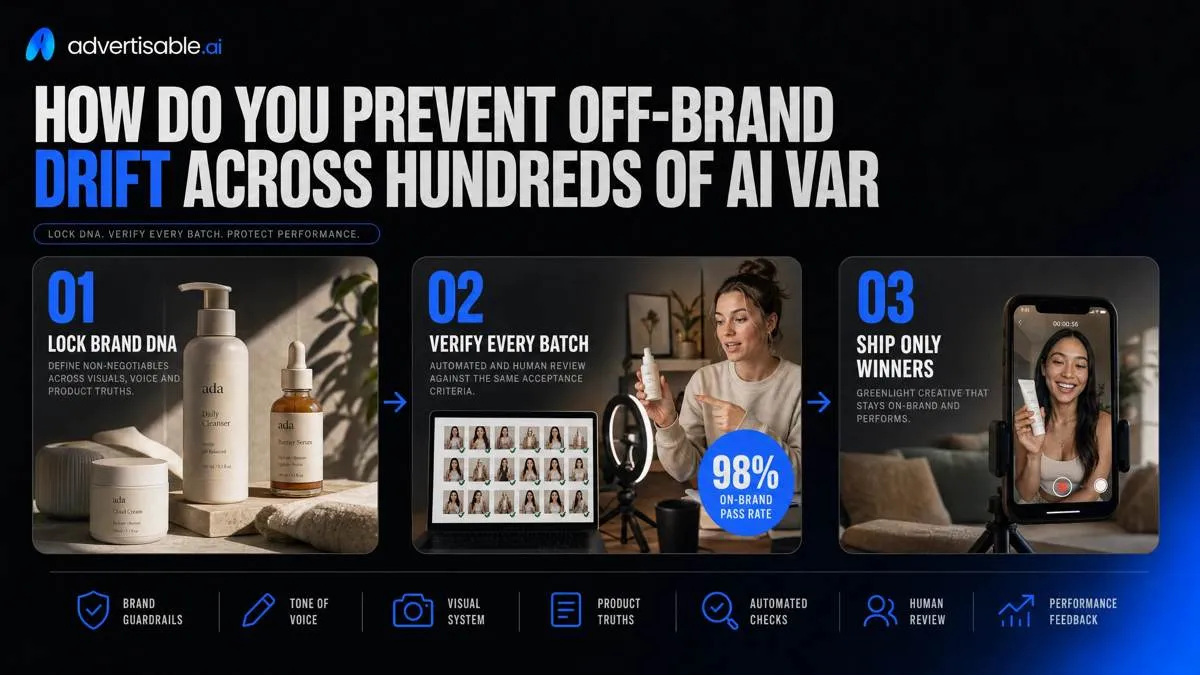
Off-brand drift happens when you scale output faster than governance. Your fix is to lock Brand DNA as non-negotiable inputs, then verify every batch against the same acceptance criteria before anything ships.
Lock Brand DNA from a URL
You prevent drift by turning your product page into a constraint document: one approved set of facts, claims, visuals, and tone that every variation inherits. Without that, the model averages, and “close enough” multiplies into hundreds of assets you cannot approve.
In Advertisable AI Studio, the Brand DNA Module pulls from your product URL so you can lock what stays constant across one-variable batches (for example, 10-20 hook-only variants) while everything else remains fixed.
Treat Brand DNA as four lists you can audit, not vibes.
- Product facts and claims list: approved promises, required proof elements, and exact phrasing you will allow
- Tone and visual rules: voice do’s and don’ts, plus logo placement, color use, and typography constraints pulled from brand assets
- Forbidden language and offers: blocked claims, banned words, and any discount language you will not run
- Brand QA acceptance criteria: pass/fail rules like “no new claims,” “CTA unchanged,” and “uses approved product naming”
Build a QA gate you can run
A QA gate is how you keep 500 variations shippable: the same checks, in the same order, every time. You are not debating taste; you are enforcing constraints.
Run checks at two points: storyboard approval, then pre-export. The goal is fast rejection with a clean regeneration path, not long feedback threads.
- Claim accuracy check: every claim must match the locked claims list, with the same proof element (no invented stats, no swapped outcomes)
- Offer and pricing consistency: the offer must be identical across the batch unless offer is the variable you are testing
- Logo, colors, typography rules: fail any asset that breaks brand marks, palettes, or type, even if the script is correct
- Fail states and regeneration path: when a scene fails, regenerate only that scene (hook, product moment, proof element, or CTA) and keep the rest constant
This is also what protects attribution: you can read a 48-72 hour test window knowing the batch did not silently change the promise, the offer, and the look at the same time.
Storyboard-first approvals: the control point that saves rework
The fastest way to waste budget with AI is rendering first and arguing later. Your control point is the storyboard: approve structure and claims while changes are still cheap, then render only what you can ship.
Four-beat creative anatomy
A shippable ad is four beats: hook, product moment, proof, CTA. Approve those beats on a storyboard before you generate 10 to 20 variants, or you will scale rework instead of learning.
Per one-variable batch, the structure stays constant: same product moment, same proof element, same CTA. Only the test variable changes, usually the hook.
Brand rules apply at the storyboard layer, not after export: Brand DNA constraints for visuals and voice, plus approved claims and proof placement. In Advertisable AI Studio, we do this in the Storyboard Editor so regeneration stays inside the guardrails.
This is the difference between admired ads and accountable ads. Admired ads win taste debates. Accountable ads can be tied to CTR or CVR changes because the beat that changed is explicit.
Approval checklist before rendering
Your render gate is a checklist, not a vibe check. You are confirming the claim can be defended, the voice is on-brand, and the CTA language will pass platform review so you do not ship unusable output.
- Claim source and proof ready: each claim maps to a URL, study, policy, or internal doc you can produce on request
- On-brand voice read-through: one human reads the full script out loud to catch tone drift and prohibited phrasing
- Platform-safe CTA language: avoid restricted terms; keep the CTA consistent when the batch is hook-only
- Sign-off owner and SLA: one named approver with a 24 to 48 hour turnaround so batches do not stall
Why mixed-variable testing creates winners you cannot replicate
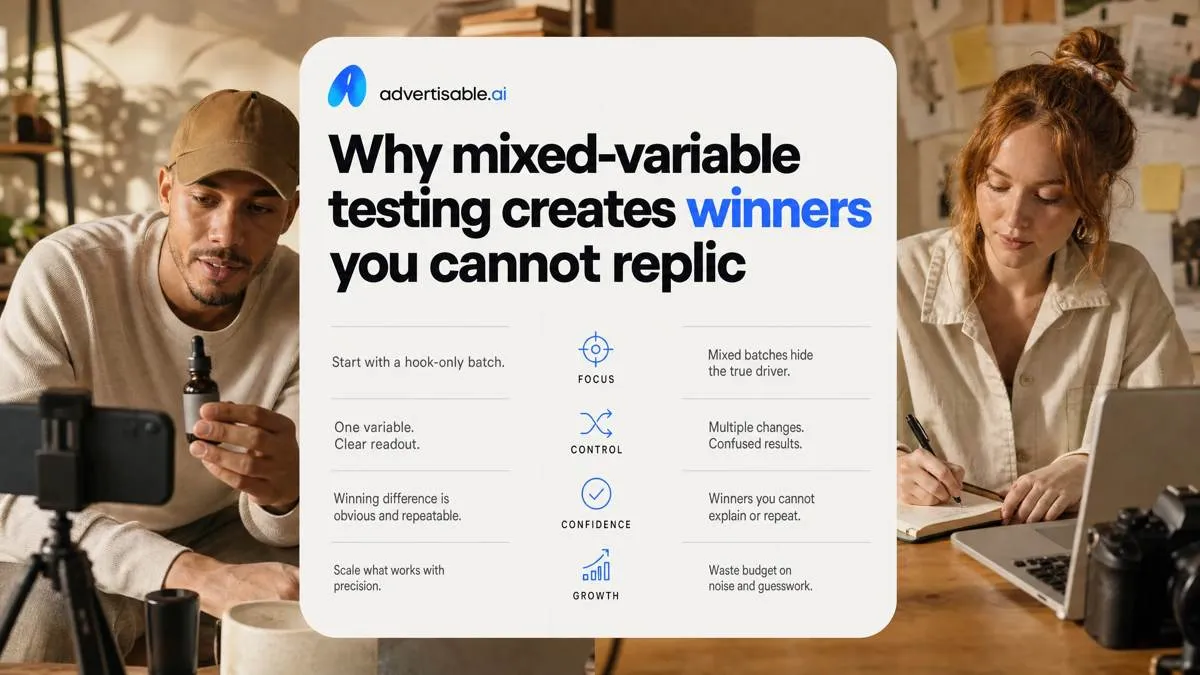
Start with a hook-only batch. It is the fastest way to learn without contaminating the readout.
Mixed batches fail in predictable ways: the offer quietly changes between variants, the proof element swaps from demo to testimonial, the CTA wording drifts, and you declare a “winner” you cannot explain.
Replication rule for scaling: if you cannot restate the winning difference as one sentence about one beat, you do not have a winner you can reproduce across new creatives.
One-variable batches that teach
A one-variable batch is how you turn a good result into attributable learning. You change one beat only, measure for a fixed 48-72 hour window, and you can say what caused the lift.
Operationally, that means your offer and your proof element stay identical across every variant. When you let either drift, you are no longer testing hooks, you are testing a bundle of changes.
Ship 10-20 variants per batch so noise does not pick the “winner.” This is also where Advertisable AI Studio earns its keep: you lock Brand DNA, keep the four-beat creative anatomy fixed, and use scene-level regeneration to swap only the beat you are testing.
Treat naming like production control, not admin work.
- Change one beat only (typically hook first), keep the other three beats untouched
- Lock offer and proof element text verbatim; QA for accidental claim creep
- Generate 10-20 variants with consistent format and length constraints
- Name and version: Beat-BatchID-Variant## (e.g., H1-2026-11-14-V07), with a simple changelog note
Scene-level edits: how to fix one weak beat fast
Scene-level edits should trigger from two places: QA failures (brand voice drift, incorrect claims, broken safe zones) and performance signals in your 48-72 hour readout (thumb stop drops, CTR stalls, CVR falls).
Regenerate only the failing scene
When one beat fails, regenerate that scene only, not the whole ad. The fastest win is swapping the hook while holding the proof element constant so the next test stays attributable.
Your acceptance criteria is simple: timing stays identical, captions do not reflow, and the product moment footage is preserved frame-for-frame. You are fixing a single variable, not re-authoring the asset.
In Advertisable AI Studio, this is exactly what the Scene Regenerator is for: you lock what cannot move, then iterate only the weak beat so you do not burn cycles on full rerenders.
- Change: hook scene script and visuals only
- Hold constant: proof element wording and on-screen proof asset
- Hold constant: scene duration, transitions, and caption timestamps
- Do not touch: product moment footage unless it is the failure cause
How do you run 48 to 72 hour readouts without overthinking them?
Treat 48 to 72 hours as a control window, not a verdict. Set a minimum viable budget per variant so each gets enough impressions to register a signal, and do not reshuffle mid-window.
Keep a creative log that names the single changed beat, the locked constants (Brand DNA, offer, CTA), and the asset ID exported, so you can attribute movement to an actual edit.
Metrics that map to each beat
You avoid analytics theater by mapping one metric to one beat, then reading it in the same 48 to 72 hour window every time. That keeps the decision tied to the storyboard, not the dashboard.
Use the minimum metric that answers the creative question, and ignore everything else until the next batch.
- Hook: thumb stop (are you earning the first 1 to 2 seconds?)
- Promise: CTR (did the hook communicate a clear, clickable promise?)
- Proof + offer: CVR (did the page visit convert once they saw your proof and terms?)
- Structure: drop-off timing by scene (which beat causes the first meaningful exit?)
Next-test decisions you can defend
Your readout should end in a next-test call you can explain in one sentence. That is how this holds up in real accounts with noisy traffic and shifting auctions.
- Promote winning hook themes: take the top 1 to 2 patterns and generate 10 to 20 more hook-only variants with everything else locked
- Retire losing promise types: cut the promise angle that repeatedly suppresses CTR even when production quality is consistent
- Move to proof tests when: hooks are stable on thumb stop and CTR, but CVR is the bottleneck, then swap only the proof element via scene-level regeneration
- Ship criteria for scaling spend: passes QA (claims, offer, Brand DNA), wins its primary beat metric in-window, and does not introduce a new drop-off earlier in the timeline
Export-ready delivery for Meta, TikTok, and YouTube
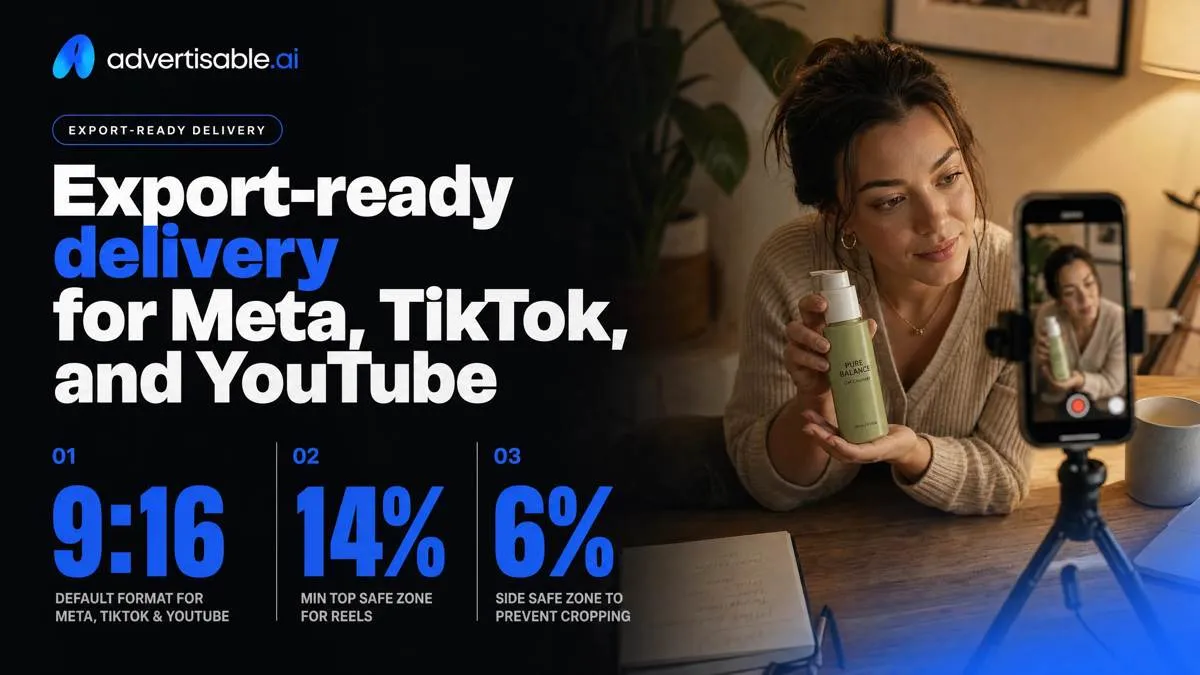
Shipping is where most AI creative workflows break: correct story, wrong format. Lock your delivery specs before you export so your one-variable batch stays comparable across placements and nothing gets rejected on upload.
Start with aspect ratios and safe zones. Build 9:16 as your default for Meta, TikTok, and YouTube, then generate 1:1 and 4:5 crops as needed. For Reels, keep at least 14% of the top, 35% of the bottom, and 6% of each side clear as platform-specific safe zones.
Then run caption and thumbnail checks: captions must match the on-screen offer and CTA, and thumbnails cannot hide the product, price, or disclosure text.
Handoff is a package, not a file: standardized naming (platform_ratio_duration_hookID_version), the final renders, captions, thumbnails, and a simple changelog of what varied.
Before you send, do platform policy and disclosure checks: claims must match your approved list, and any required “paid partnership” or affiliate disclosure must be present. Advertisable AI Studio’s QA and Export Layer is built to make these checks repeatable.
Start with guardrails, then ship volume
If you want AI to take work off your plate without taking control away, you need one standard workflow: lock what must stay constant, then scale only the variable you are testing. That is the difference between outsourcing production volume and outsourcing brand governance.
We built Advertisable AI Studio for that exact operating constraint. Start the 3-day trial for $5, paste in your product URL, and lock your Brand DNA rules before you generate anything. Approve the storyboard first in the Storyboard Editor using the four-beat creative anatomy, then generate a one-variable batch of 10 to 20 hook-only variants with the offer, proof element, and CTA held constant.
Run a clean 48 to 72 hour readout. Pick the winner. Then use Scene Regenerator to iterate only the next bottleneck scene.
Frequently Asked Questions
What's the difference between admired ads and accountable ads?
Admired ads are optimized for taste and stakeholder comfort. Accountable ads are built so you can tie performance movement to a specific creative decision, which requires a fixed structure and one-variable batches you can read in 48 to 72 hours.
Why do mixed batches fail to teach you anything?
Because you changed multiple inputs at once, so the outcome is not attributable. If hook, product moment, proof element, and CTA all move together, you can see a winner but you cannot explain it or reproduce it in the next batch.
Can AI replace an in-house production team?
I can remove the production bottleneck by generating and exporting shippable variations fast. It does not remove the need for governance, storyboard approval, QA checks, and a clear next-test decision owned by you.