Meta creative fatigue in 2026 is a signal problem
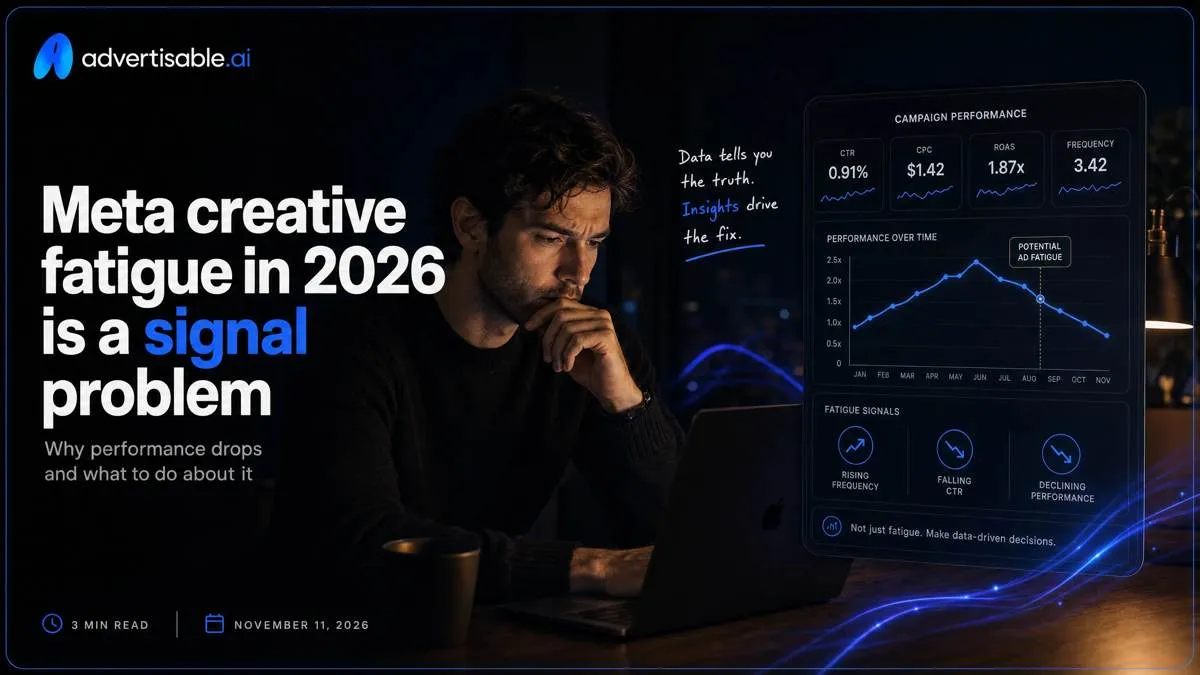
You are not losing performance because you “ran out of creatives.” You are losing it because your tests are not producing a clean signal before the platform moves on.
We built Advertisable AI Studio for this exact operator problem: you need speed without losing control. Our workflow starts by extracting Brand DNA from your product URL, then keeps your four-beat anatomy consistent in the Storyboard Editor so your one-variable batch stays attributable. When something underperforms, Scene Regeneration lets you replace one beat instead of redoing the whole video, and our QA Workflow plus Approval Gates help you hold a clear acceptance bar at volume.
Before you try to “outproduce” fatigue, you need to understand why it can hit before you learn anything, and why confounding is usually the culprit.
Why does Meta creative fatigue happen before you learn anything?
Confounding looks like fatigue
“Fatigue” in week one is usually confounding: you changed multiple independent variables, then blamed the noise on the creative.
The common failure mode is shipping a batch where the hook and the claim shift together, while you also rotate visuals and swap proof types (testimonial vs. demo vs. stat). When results move, there is no credible causal driver to attribute the change to, so normal variance gets mislabeled as decay.
- Example confound: Hook angle changed plus claim strength changed in the same variant set
- Example confound: New product moment framing plus new proof element format plus new CTA language
- Outcome: you cannot say whether CTR, CVR, or CPA moved because of the hook, the claim, the proof, or the edit quality
The learning window you miss
Meta learns from stable inputs. When you edit too much mid-flight, you shorten the window where the system can allocate cleanly.
Operators usually do this inside the first 48-72 hours: swapping thumbnails, rewriting primary text, changing the proof beat, or “fixing” the offer. That volatility effectively resets learning because yesterday’s data no longer maps to today’s creative. With a weak signal, allocation slows and you read the stall as fatigue.
What fatigue looks like in data
True fatigue has a specific shape: CTR stays roughly stable while CVR drops, because people still click but fewer convert after repeated exposure.
You also see frequency rising inside the core cohort that is actually seeing the ad, and hold rate declining across multiple variants that share the same repeated beat. Qualitative confirmation shows up in comments that reference seeing the ad again. Meta's Analytics team research puts the mean at 4.2 previous exposures per user-creative across all Meta ad impressions.
The 2026 operating loop that turns spend into signal
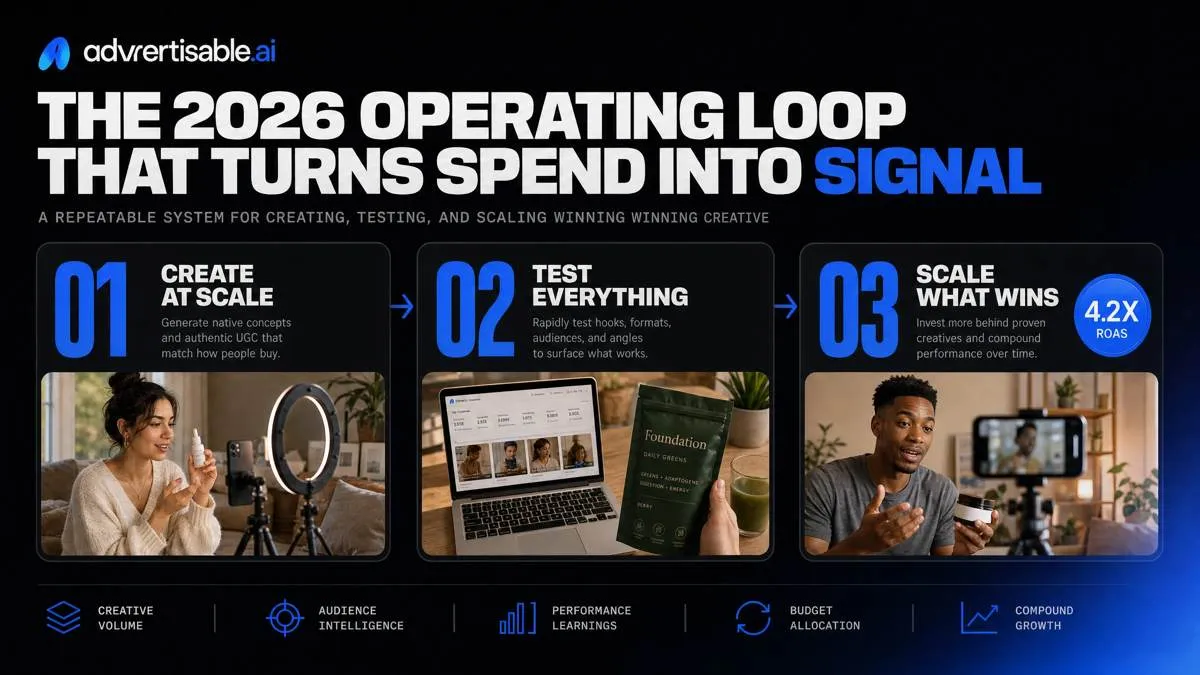
Lock Brand DNA first
Mixed-variable batches fail because your team ships different claims, visuals, and proof in the same week, then tries to “read” performance like it was one test. Lock Brand DNA before you write a single hook so every dollar you spend is measuring the variable you intended.
In Advertisable AI Studio, we treat your product page as the source of truth and freeze the guardrails you will not negotiate mid-batch.
- Product facts and claims rules: approved claims only, plus explicit forbidden claims you will not allow the model or editors to imply
- Tone and visual constraints: voice, pacing, color and logo rules, and what “off-brand” looks like in concrete terms
- Allowed proof and disclaimers: one proof type you can substantiate, and the exact disclaimer text required when that proof appears
- One URL as source of truth: the single product link everyone uses so offers, features, and wording do not drift across variants
Storyboard the four beats
Attribution starts with a fixed anatomy. Storyboard Hook, then Product Moment, then one Proof element, then an exact CTA, and do it before rendering so you can approve structure once and stop rework.
Use a 6 to 12 second layout and force the product moment to happen early, not as a payoff at the end.
Define constants for the batch up front in the storyboard: the same product moment shot, the same proof asset, the same CTA line, the same on-screen text placement and timing.
- Hook: the only beat you plan to vary in this batch
- Product moment: identical scene and timing across all variants
- Proof element: pick one (testimonial, demo result, rating, guarantee terms) and lock it
- CTA: exact words plus when it appears (for example, final 2 seconds) so you do not create a second variable
Ship hook-only variants
Run 15 hook variations only, in one publish window, with one hypothesis. This is the fastest way to convert spend into a clean read on what actually moved results.
Everything after the hook stays identical: same product moment, same proof, same CTA, same on-screen text. Your readout window is 48 to 72 hours, because longer windows invite auction and audience drift to masquerade as “creative fatigue.”
- Batch size: 15 hook variations, no other creative differences
- Locked scenes: identical product moment and proof element across all 15
- Locked conversion ask: identical CTA copy and identical on-screen text
- One hypothesis per batch: one statement you can falsify (for example, “price-led hooks increase CTR”), not a pile of angles
What metrics do you read in 48-72 hours to decide the next test?

Hook Rate decision rules
Read Hook Rate first because it is your thumb-stop proxy: the percent of impressions that turn into a meaningful first-second view (use your platform’s 1-second view or 3-second view rate as the operational proxy, but keep it consistent batch to batch).
When Hook Rate is weak, separate a bad hook from a wrong audience cue. A bad hook is unclear, slow, or generic but still “about” the right buyer. A wrong cue is a hook that signals the wrong use case, price tier, or persona, so the right people swipe past because it feels irrelevant.
Next action: regenerate the Hook scene only. Hold Product Moment, Proof element, CTA, offer terms, and on-screen text constant so attribution stays clean in your 48-72 hour readout.
- Weak hook: low early view rate across placements with normal CTR for the few who stay
- Wrong audience cue: low early view rate plus comments or clicks from the “wrong” segment (intent mismatch)
- Fix: ship 10-20 hook-only variants; everything else stays locked
Hold Rate failure patterns
Hold Rate tells you where the story loses the viewer after the initial stop. Use 48-72 hour retention curves to find the first sharp drop, then map it to a beat in your four-beat creative anatomy.
Three common patterns are actionable without rewriting the whole ad.
- Drop right after the product moment: the reveal is confusing or the demo is not instantly legible
- Drop during the proof element: proof is too dense, too claim-heavy, or visually unsupported
- Scene timing too late: the product moment or proof arrives after the viewer has already decided to leave
- Fix: swap one scene (or move it earlier) instead of changing the entire script
Click and conversion alignment
CTR up with CVR down is usually not a media problem. It is a message alignment problem: your ad is earning curiosity but not earning belief when the shopper hits the page.
Two flags show up fast in 48-72 hours: claim-product mismatch and a proof credibility gap. Mismatch looks like high-intent language in the hook that the product page cannot immediately confirm. Credibility gaps show up as clicks followed by short sessions, low add-to-cart rate, or a spike in “is this real?” comments.
Next action is almost always to tighten proof, not rewrite the CTA. Keep the CTA stable and upgrade the proof scene: clearer demo, tighter before-after framing, fewer claims, stronger substantiation. In Advertisable AI Studio, that is a single-scene regeneration plus QA Workflow checks to keep claims and offer terms consistent.
- Claim-product mismatch: the ad promises a benefit or bundle the page does not lead with
- Proof credibility gap: proof feels implied, sourced vaguely, or visually disconnected from the product moment
- Fix: reinforce the proof element before you touch the CTA
A mid-campaign fatigue recovery protocol that preserves learning
When results decay mid-flight, protect budget continuity so the system keeps learning. Plan replacements weekly, not as a panic reset, and archive losers with a clear label for why they failed so you do not accidentally reintroduce the same defect.
Refresh without resetting everything
Keep your current winner live as the control and add a one-variable challenger beside it. Read in a fixed 48-72 hour window so attribution survives market drift.
Stagger launches across 2-3 days to avoid day-of-week noise, and do not mass-swap creatives across every ad set. Big simultaneous changes look like “fatigue,” but you just destroyed your baseline.
- Control: last proven variant, unchanged
- Challenger: one beat changed only (usually Hook)
- Rollout: one new variant per day until you have 3-5 live
- Kill rule: if the challenger underperforms control on the batch metric at 72 hours, archive it
Regenerate the losing beat
Do not rebuild the whole ad. Regenerate the beat that is actually failing, then re-ship as a one-variable challenger.
Meta's Analytics team research shows a mean of 4.2 previous exposures per user-creative, so the fix is usually a fresher beat, not a new campaign.
- Hook fatigue: rotate to a new promise angle while keeping product moment, proof, and CTA identical
- Proof fatigue: keep the claim but change the evidence format (demo, screenshot, founder line, before-after with the same guardrails)
- Product moment: move the demonstration earlier in the timeline so intent forms sooner
- CTA fatigue: reduce the next step to one action with exact language (what to click and what happens next)
Where most teams break: governance, claims, and production control at volume
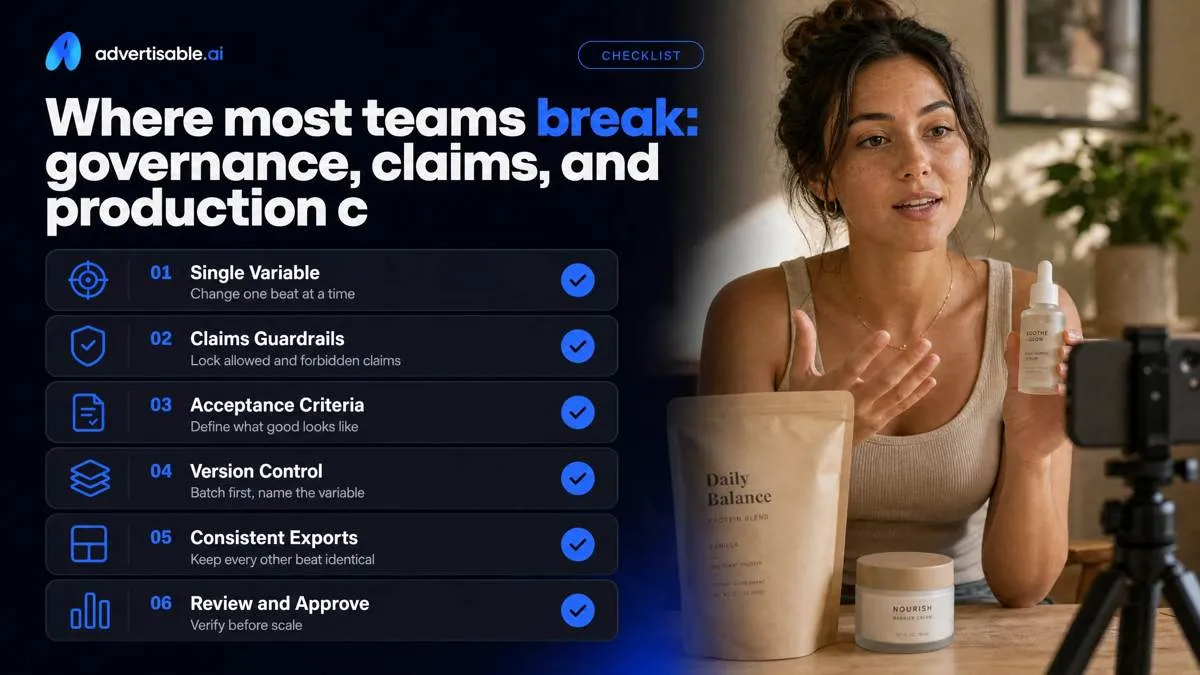
Single-variable testing only holds if each beat has acceptance criteria: Hook is attention-only, Product Moment is accurate and early, Proof is substantiated, CTA matches the offer.
Claim creep is prevented by locking an allowed-claims list and a forbidden-claims list in your production brief before you generate variants.
Version control has to be batch-first: name the batch, name the variable (Hook_v3), and keep every other beat identical across exports.
Approval gates that do not stall
Your mixed batches waste spend because nobody is enforcing gates before renders ship. You need three fast approvals with a single owner each, so you do not debate taste mid-batch.
- Gate 1 (Storyboard): approve Hook, Product Moment, Proof, CTA scenes before rendering any video
- Gate 2 (Brand QA): verify claim accuracy against the locked claim list, plus offer terms and product facts
- Gate 3 (Export readiness): checklist for aspect ratios, safe margins, captions on, audio levels, file naming, and placements
- One owner per gate with a 24-hour SLA, otherwise the batch pauses
Meta rules for AI creative
Policy failures also destroy attribution because edits land unevenly across variants. Treat Meta compliance as a locked constant across the whole batch, not something you “clean up later.”
- Misleading claims: no implied results you cannot substantiate in your proof element
- Before-after: avoid transformation framing unless your category and assets are clearly permitted
- Personal attributes: do not call out sensitive traits (for example, health conditions) as a certainty about the viewer
- Disclaimers and proof traceability: every proof line maps to a source you can produce during review
How Advertisable AI Studio keeps single-variable testing intact at 50+ variants per week
The breaking point is predictable: you can either ship fast, or you can keep governance tight enough to preserve single-variable attribution. Advertisable AI Studio is built for the week you decide you need 50+ variants without letting claims and brand rules drift between versions.
URL to Brand DNA guardrails
You keep testing clean by locking what cannot change before you generate anything. In Advertisable AI Studio, you paste in a product URL and we extract the product facts and on-page details that should remain constant across a one-variable batch.
Then you codify governance as rules: allowed claims, forbidden claims, tone constraints, and visual rules. That reduces off-brand drift risk because every variant is generated inside the same constraints, instead of relying on manual spot-checks after the fact.
- Guardrails you lock up front: product facts, offer language, required disclosures, approved proof type
- Hard negatives: claims you cannot make, prohibited before-and-after framing, banned competitor references
- Brand fit rules: voice (plain vs. premium), pacing, color and logo placement expectations
Storyboard-first batch building
Volume breaks most teams because they render first and argue later. Storyboard-first flips that: four-beat anatomy is enforced (Hook, Product Moment, Proof, CTA), and you QA the storyboard before any render spend.
For single-variable testing, you generate hook-only variants, keep the other three beats locked, and label the batch by the one variable you changed. A typical batch is 10 to 20 hooks so your 48 to 72 hour readout produces a real signal instead of noise.
- Pre-render acceptance bar: product moment appears early, proof is specific, CTA is explicit and consistent
- Batch naming convention: Variable = Hook, Constant beats = Product Moment + Proof + CTA (locked)
- Kill criteria logged on the storyboard: reject claim creep, mismatched offer terms, tone violations
Scene-level regeneration workflow
When a variant loses, you should not rebuild the whole ad. Scene-level regeneration lets you replace only the losing scene while preserving constants across variants, so your next test is still attributable.
Operationally, this is faster than re-rendering because you are iterating one beat, not a full timeline, and your approvals stay focused. When you are ready to ship, you export platform-ready files sized for Meta placements without re-cutting the same ad multiple times.
- Regenerate targets: Hook scene only, Proof scene only, or CTA scene only (one change per iteration)
- Constants preserved: product facts, claim rules, tone, Product Moment framing, offer language
- Export checklist for Meta: correct aspect ratios, consistent overlays, final claim and disclosure pass
Turn your next creative batch into signal, not noise
If your “fatigue” shows up before you can explain what changed, your workflow is the bottleneck. Fix that by locking what cannot move, and only rotating what you are actually testing.
In Advertisable AI Studio, paste your product URL to generate Brand DNA guardrails, then storyboard the four-beat creative anatomy so every variant keeps the same Product Moment, Proof element, and CTA. Build a hook-only batch of 10 to 20 variants, export Meta-ready assets, and schedule a 72-hour readout with one primary metric for the batch.
When the readout is in, do not start over. Use scene-level regeneration to replace only the losing beat, re-export, and run the next controlled batch.
Frequently Asked Questions
What is the difference between performance creative and admired creative?
Performance creative is built to answer one question per batch: which specific decision moved a measurable metric. Admired creative is optimized for internal approval and often changes multiple elements at once, which makes results hard to attribute and hard to replicate.
Why does my batch of ads never tell me which variable actually worked?
Because you are likely changing more than one independent variable in the same window, so multiple explanations fit the outcome. Lock the four beats, rotate a single beat only, and hold the readout window to 48 to 72 hours so the winner has a credible driver.
How do I scale ad production to 50+ variants per week without losing brand control?
You need governance before volume: Brand DNA guardrails, storyboard approval, and explicit acceptance criteria for claims, offer terms, and CTA language. In Advertisable AI Studio, you keep the anatomy locked and use scene-level regeneration to fix only what failed QA or performance, instead of re-rendering everything.