How agencies use AI to deliver ads faster today
You do not have an AI speed problem. You have a shippable-output problem. The moment you add brand review, stakeholder approvals, and platform specs, “fast” turns into re-render loops, off-brand drift, and attribution fog from mixed-variable batches.
We built Advertisable AI for this exact agency constraint: you need speed, but you need control more. Our Advertisable AI Platform starts from a product link, extracts Brand DNA guardrails, then uses the Storyboard Editor and Scene Regenerator so you can approve the creative anatomy first and fix only the beat that broke. If you want it handled end to end, our Advertisable AI Studio runs the same storyboard approval and scene-level iteration loop with QA and format compliance built in.
If AI ad production still feels slow in your shop, it is usually because your workflow optimizes for generating, not for approving and shipping.
Start by naming where the cycle actually stalls, then rebuild the process around approval gates and shippable criteria.
Why does AI ad production still feel slow?
AI makes rendering fast. Your workflow makes shipping slow. The bottleneck is control: what gets approved, what stays on-brand, and what can be tested without muddying results.
Approval cycles erase AI speed
AI output feels instant until brand review starts. Off-brand drift triggers escalations, and every escalation adds a new reviewer and a new interpretation of the brief.
Comments also arrive asynchronously. You get copy notes today, visual notes tomorrow, and claims notes next week, so you are never revising a stable target.
Then the rerender loop resets the calendar. If you cannot fix one scene, a single rejected beat forces a full rebuild, new review links, and another round of approvals.
- Escalations: minor brand mismatches become “send to legal” or “get the founder to sign off”
- Async feedback: changes stack, conflict, and create version drift
- Rerenders: one failed beat restarts approvals like it is day one
More variants create attribution fog
More variants do not automatically mean faster learning. Mixed changes hide the causal signal because hook, offer, proof, and CTA all move at once.
You can get a winner you cannot reproduce because you do not know which change actually drove the lift. That is where attribution challenges with variants show up first: thinner data per variant pushes models toward guessing, not measuring.
The result is wasted spend on noisy tests, plus more subjective debates in reporting because nobody can point to a clean variable.
Measure cost per shippable ad
Render count is a vanity metric. Track cost per shippable ad: a variant that clears claims QA, brand rules, format specs, and stakeholder approval within 24 hours.
That metric forces you to count the real work: QA labor plus rework hours, not just generation credits.
Also track throughput: how many variants actually shipped within 24 hours. High render volume with low 24-hour ship volume means your control points are failing, not your AI.
- Shippable ad definition: approved, compliant, correctly formatted, ready to launch inside 24 hours
- Cost basis: generation plus QA time plus rework time divided by 24-hour shipped variants
- Operational signal: reject rate and re-approval count per batch
How do agencies ship 10 to 20 variants in 48 to 72 hours?
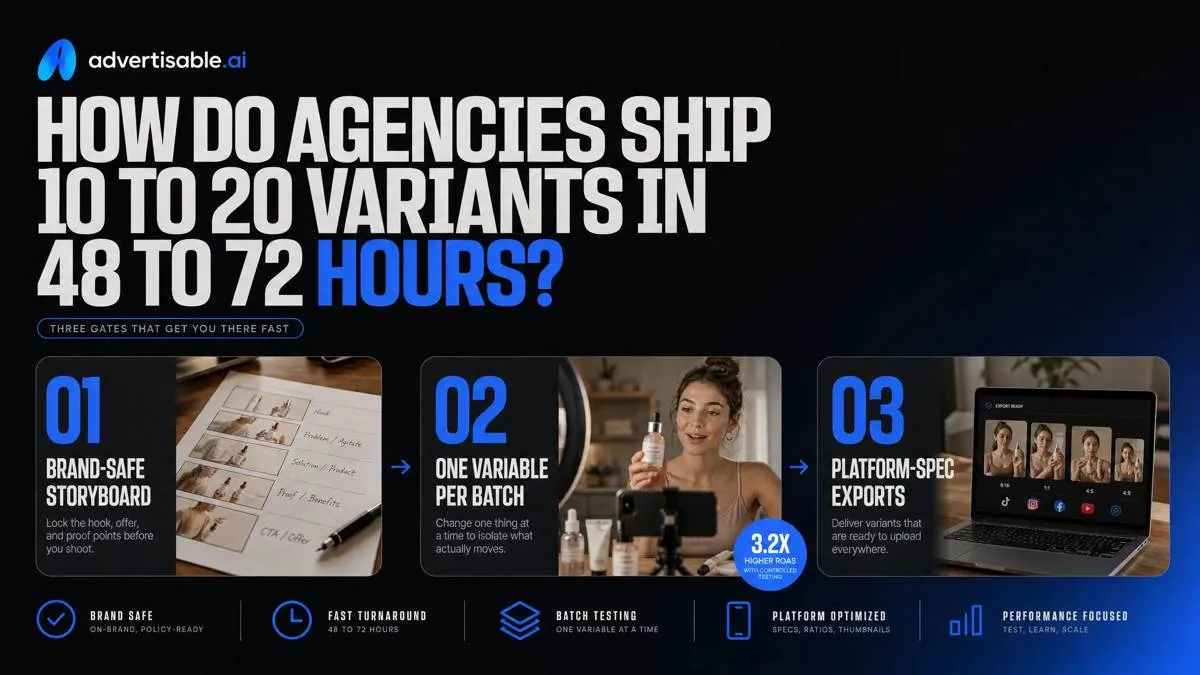
Agencies hit 48 to 72 hours by using three gates you can QA in minutes: a brand-safe storyboard, a batch where only one variable changes, and exports that are already platform-spec compliant.
Lock Brand DNA from URL
Speed starts by locking constraints before anyone writes hooks. Pull Brand DNA from the product URL and treat it as guardrails, so every variant stays visually and verbally consistent while you iterate fast.
In practice, you freeze what cannot drift, and you force all generation to reference the same source of truth for claims. That is what prevents the common failure mode: 20 “different” ads that each require legal, brand, and stakeholder rewrites.
- Fonts, colors, and layout rules: approved typefaces, hex colors, logo safe zones, on-screen text limits
- Voice rules: POV (you vs we), reading level, banned phrases, required disclaimer language
- Product facts and claims truth: only claims supported by the product page, with Claims QA checks before anything is approved
- Multi-client brand separation: separate Brand DNA profiles per client so assets, tones, and claim libraries never cross-contaminate
Storyboard signoff before rendering
Agencies do not spend rendering budget to discover a concept is unapproved. They get signoff at the storyboard level, using a standard four-beat creative anatomy: hook, product moment, proof element, CTA.
Your acceptance criteria here is binary: does the storyboard clearly communicate the hook promise, show the product, include proof, and end with the exact CTA you intend to test under. When comments are still open, you are not ready to generate.
With a tool like our Advertisable AI Platform, this is where you use the Storyboard Editor and only regenerate the failing beat instead of redoing the whole video.
- Approval checklist: hook wording and first 2 seconds, product moment accuracy, proof claim wording, CTA language and on-screen treatment
- Stakeholder rule: all feedback must land before rendering begins; post-render comments get queued to the next batch, not patched into the current one
One-variable batches only
To ship 10 to 20 variants fast and learn fast, you batch on one variable, usually the hook. You generate 10 to 20 hook variants against the same storyboard, then run a fixed 48 to 72 hour readout so results stay comparable.
Holding product moment, proof element, and CTA constant is what prevents attribution fog. When one ad wins, you know why it won, and you can lock that hook for the next cycle.
- Batch spec: 10 to 20 hooks, same product shots, same proof element, same CTA, same runtime target
- Readout at 48 to 72 hours: pick the top hook by thumb stop or CTR, kill clear losers, and only then test the next beat
What do you do when an AI ad fails review?
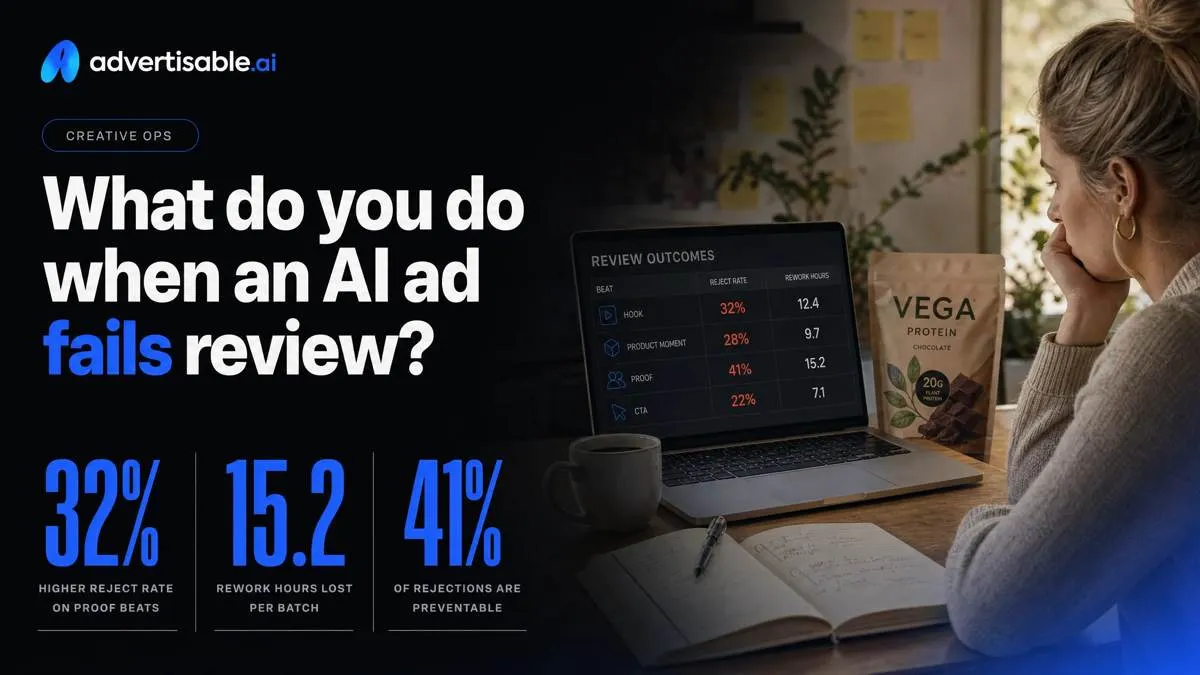
Treat every rejection like ops data, not a creative debate: track reject rate by beat (hook, product moment, proof, CTA), and log rework hours per batch so you can see where the system is leaking time.
Diagnose the failing beat
Don’t reopen the whole concept. Pin the rejection to one beat, because that is what controls approval time and keeps variants comparable.
Most failures land in one of three buckets: the hook promises something the rest of the ad does not deliver, the product moment is visually or verbally unclear, or the proof and CTA drift into noncompliant territory (unsupported claims, missing disclaimers, or prohibited wording).
- Hook mismatch: promise in the first 2 seconds does not match the offer story or the landing page truth
- Product moment unclear: product not shown, benefit not tied to a visible action, or the “what is it?” question is unanswered
- Proof or CTA noncompliant: before-after style implications, absolute claims, missing disclaimer line, or CTA language that violates internal policy
Regenerate only one scene
Fix the failing beat by regenerating only that scene, not re-rendering the full ad. Scene-level edits preserve everything that already passed brand and compliance review.
This speeds re-approval because reviewers can focus on a single delta, and it keeps your testing clean: one-variable batches stay one-variable, so you can compare performance without mixed changes.
QA gates that prevent rework
You reduce rejections by putting QA gates before export, not after stakeholders react to a rendered video.
We run three checks: brand fidelity against Brand DNA, claims QA (including required disclaimers), and a format check so the delivered file is review-ready on day one.
- Brand check: voice, colors, fonts, and visual do’s and don’ts match your locked Brand DNA
- Claims QA: every claim traces back to source truth, and disclaimer text is present where required
- Format check: aspect ratios, safe zones, captions, and duration meet channel specs before export
Where does Advertisable AI fit into this workflow?
Prompt-only tools can be fast, but they drift: every new prompt becomes a new interpretation of your brand and a new set of untracked variables. Guardrails flip that equation by locking what must stay true before you generate volume.
Same idea on edits: full rerenders treat every fix like a restart. Scene-level regeneration isolates the broken beat so you keep momentum and keep your batch comparable.
Brand DNA guardrails at scale
This maps to the first gate: lock the non-negotiables once, then generate 10 to 20 variants without brand drift. In Advertisable AI, you start from your product URL so the system pulls usable facts and assets into Brand DNA instead of relying on whoever wrote the prompt last.
Operationally, your acceptance criteria is simple: variants can change the test variable, but visuals, voice, and claims stay consistent and traceable to the source page.
- URL-to-guardrails ingestion to ground scripts and scenes in your product page
- Reusable visual and voice rules so outputs match across batches
- Claims QA to keep proof lines aligned to what the source actually says
Storyboard Editor for approvals
This maps to the approval gate: sign off on the four-beat anatomy before you spend time rendering. The Storyboard Editor gives you beat-by-beat visual control, so you can confirm hook, product moment, proof, and CTA are correct while changes are still cheap.
Stakeholders comment on the storyboard, not on a finished-looking render, and you only render the batches that cleared review.
- Approve or edit each beat in isolation (not a single, merged timeline)
- Collect feedback at the storyboard level so comments map to a specific beat
- Render only the approved batch so rejected concepts do not consume cycle time
Scene Regenerator for fixes
This maps to the rework gate: fix the one beat that failed QA without touching the rest. Scene Regenerator is built for single-variable testing, where you might swap only the hook (first 2 seconds) and hold product moment, proof, and CTA constant.
You can also repair a proof beat in isolation when a claim, visual, or compliance element is the issue, then re-export without contaminating the batch variable.
- Swap the hook scene without a full rerender of the entire ad
- Regenerate only the proof beat when claims or supporting visuals need correction
- Keep the batch variable clean so the 48 to 72 hour readout reflects one change
How do you QA and export ads for Meta and TikTok without delays?
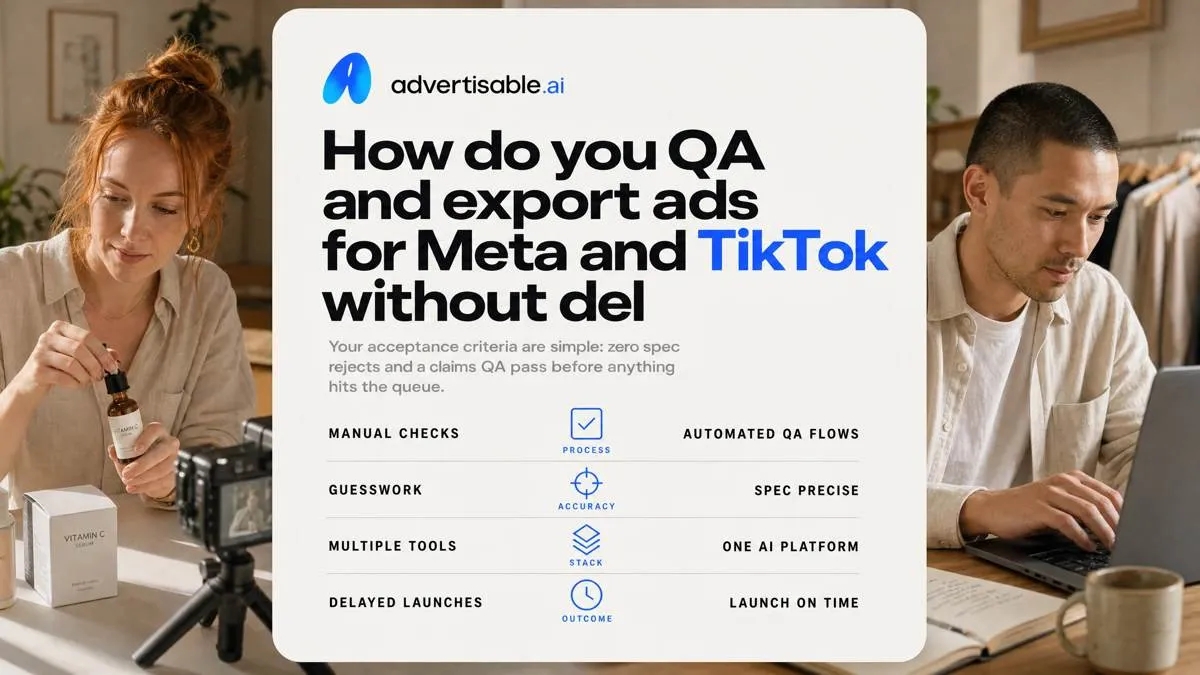
Your acceptance criteria are simple: zero spec rejects and a claims QA pass before anything hits the queue.
Platform specs you must hit
Specs are the fastest way to lose 24 hours to re-exports. We ship only when every placement file is correct on first upload, including safe zones, captions, and audio behavior.
Treat this as a preflight checklist, not a debate after launch.
- Aspect ratios by placement: 9:16 (Reels, Stories, TikTok), 1:1 and 4:5 (Meta feeds)
- Text safe zones: keep critical text and UI clear of top and bottom overlays; verify on-device preview
- Captions and audio: captions do not cover product proof, audio is clean at consistent loudness, and any on-screen text matches the spoken line
Claims and disclosure requirements
Claims QA is binary: every performance, pricing, and ingredient statement must be substantiated by the product page you sourced from, or it does not ship.
Lock one disclaimer location per concept so your one-variable batch does not turn into mixed-variable compliance edits.
- Substantiation: pull claim language from the product URL and keep screenshots or page excerpts as your source of truth
- Disclosure consistency: same disclaimer text, same placement, same timing across variants in the batch
- Regulated category escalation: route to your legal or compliance owner before export, not after a platform rejection
Export once, version everywhere
You avoid delays by exporting platform versions from one approved storyboard, not by editing different timelines per channel. In Advertisable AI, we approve in the Storyboard Editor, then use the Multi-format Generator to output Meta and TikTok variants without drifting claims or layout.
This is also where you keep naming and handoff tight so media buyers can launch within the same day.
- Multi-format exports: generate 9:16, 1:1, and 4:5 from the same storyboard so the hook, product moment, proof, and CTA stay aligned
- Batch naming: Client-Campaign-Concept-HookVar01-Format (example: BrandX-Q4-ConceptA-H01-916)
- Media buyer handoff: placement mapping, caption copy, disclaimer notes, and the list of what changed (one variable) vs what stayed locked
Run your next 48 to 72 hour hook batch with control, not rerenders
If your “fast AI” workflow still slows down in review, your next step is not more variants. It is tighter control points that protect Brand DNA and keep tests comparable.
This week, run a one-variable hook batch in Advertisable AI Platform. Start from your product link, lock Brand DNA guardrails, then generate a four-beat storyboard where only the hook changes. Get storyboard signoff before you render.
If anything fails review, fix the failing beat with the Scene Regenerator instead of rebuilding the whole ad. Your acceptance criteria is simple: shippable variants that clear claims QA, match your guardrails, and export cleanly for Meta and TikTok from the approved version.
If you want execution handled end to end, use Advertisable AI Studio for done-for-you briefing, iteration, and QA with the same workflow discipline.
Frequently Asked Questions
How do I prevent off-brand output when generating dozens of variants?
Lock Brand DNA once from the product URL, then treat it as a non-negotiable guardrail across the whole batch. Keep everything constant except the single test variable so reviews stay focused on performance, not brand drift.
What's the difference between scene-level regeneration and full re-render?
Scene-level regeneration fixes only the specific beat that failed, like the hook or proof element, while keeping the rest of the storyboard unchanged. Full re-render restarts the whole asset and usually reintroduces new differences you did not mean to test.
Why do mixed batches (changing hook, offer, and CTA together) slow learning?
Because you cannot attribute the result to one cause, so the “winner” becomes an opinion fight instead of a repeatable insight. One-variable batches let you lock what works, then move to the next beat with a clean 48 to 72 hour readout.