Black Friday ad creative strategy without chaos
The fastest way to lose Black Friday is to treat it like your one chance to “try new angles” and hope the data sorts it out. That is how you end up with unclear briefs, slow approvals, mixed-variable tests, and a dashboard full of attribution fog.
We built Advertisable AI Studio for this exact Black Friday constraint: you need speed, but you need control more. Our workflow starts from your product URL to extract Brand DNA guardrails, then you generate and approve storyboards, regenerate only the losing scene, and export platform-ready formats without reopening the whole file.
The first decision is not how many new ads you can produce, it is what belongs in a test lane versus a scale lane when the clock is ticking. Let’s start by separating what you should test for Black Friday versus what you should simply scale.
What should you test for Black Friday versus scale?
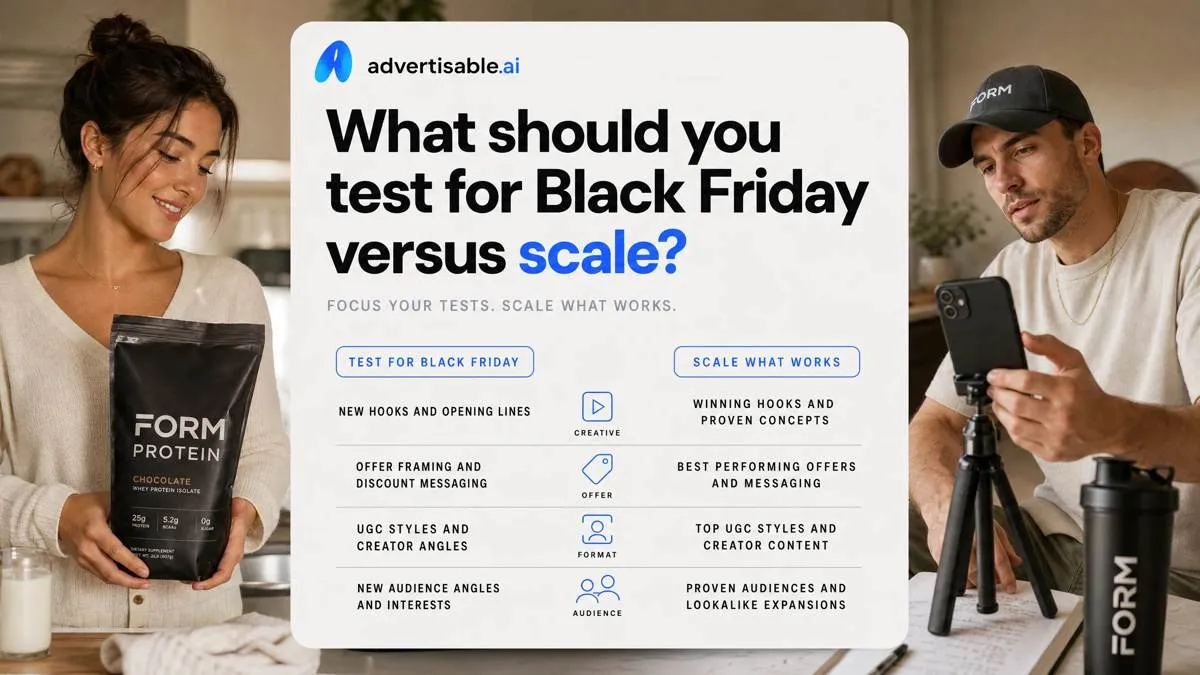
Black Friday ad creative strategy is the discipline of shipping and reading video variants fast in a high-cost, high-intent window, so you scale what is already proven and avoid tests you cannot interpret.
The BFCM testing rule
During BFCM, you mostly scale known winners and run only tight, fast tests with 48-72 hour readouts. The goal is reliability, not exploration.
Use your highest-intent traffic as the control group. Keep those audiences on your proven creative, and isolate any testing to smaller, lower-risk segments so you do not contaminate your best signal when CPMs spike.
- Scale: your top historical videos with the same four-beat creative anatomy, updating only the promo line if needed
- Test: one variable per batch (most often the first 2 seconds hook), while holding product moment, proof element, and CTA constant
- Protect: retargeting and other bottom-funnel pools; do not send them unproven concepts during the sale window
What to pre-test before Q4
Do your real experimentation before Q4, because new concepts need multiple iterations to become scalable. BFCM is too short to debug a weak angle, a mismatched creator, and an unclear proof element at the same time.
- New angles and concepts: problem-first vs result-first, objection callout, gift framing, or founder narrative (as hook families)
- New creators and styles: different faces, pacing, captions, and filming formats so you know what your account can repeat on demand
- Proof and offer variants: which credibility cue carries the claim, and which offer framing converts before you add urgency
How to avoid attribution fog
Attribution fog happens when you change multiple things at once and the winner teaches you nothing. You get an outcome, not a repeatable input.
Run one-variable batches only. Make each test answer a single question, and write down the mechanism you believe won so you can rebuild it as a template, not a one-off.
- No mixed-variable batches: do not ship “new hook + new offer + new CTA” together
- One question per test: for example, “Which hook improves thumb stop in the first 2 seconds?”
- Document why it won: the promise, the proof match, and the exact beat you will keep locked in the next iteration
Lock the offer story before you generate variations
For Black Friday, you do not “test your way” to clarity inside the promo window. You lock the offer story once, then generate variations around it so performance differences are attributable to hooks and proof, not shifting promises.
Offer statement acceptance criteria
Treat your offer statement as a control document: one promise and one deadline, written as a single sentence you can paste into every brief. This is how you avoid late-stage rewrites that invalidate your readouts.
Add margin guardrails and exclusions up front (for example: which SKUs, bundles, or new arrivals are excluded), then match the landing page headline to the exact same promise language. If the ad says one thing and the page says another, you will not know whether the ad failed or the handoff did.
- Promise: one outcome and one discount frame (no secondary deals)
- Deadline: one end time or end date only
- Guardrails: minimum margin, excluded SKUs, and any stacking rules
- Landing page: headline mirrors the promise verbatim
Give every ad one job
Each ad needs a single role: prospecting or retargeting, not both. Mixing roles creates attribution fog because the same creative is asking different audiences to take different steps.
Pick one awareness level per ad, then lock one primary conversion action. For warm retargeting you can assume product understanding; for prospecting you cannot. Keep the CTA singular so your 48-72 hour readout tells you what actually moved.
- Prospecting: one awareness level (problem-aware or solution-aware), one action (view offer or shop)
- Retargeting: one awareness level (product-aware), one action (complete purchase)
- Do not split CTAs ("shop" plus sign up plus "learn") inside the same variant
Standardize a four-beat video template your team cannot break
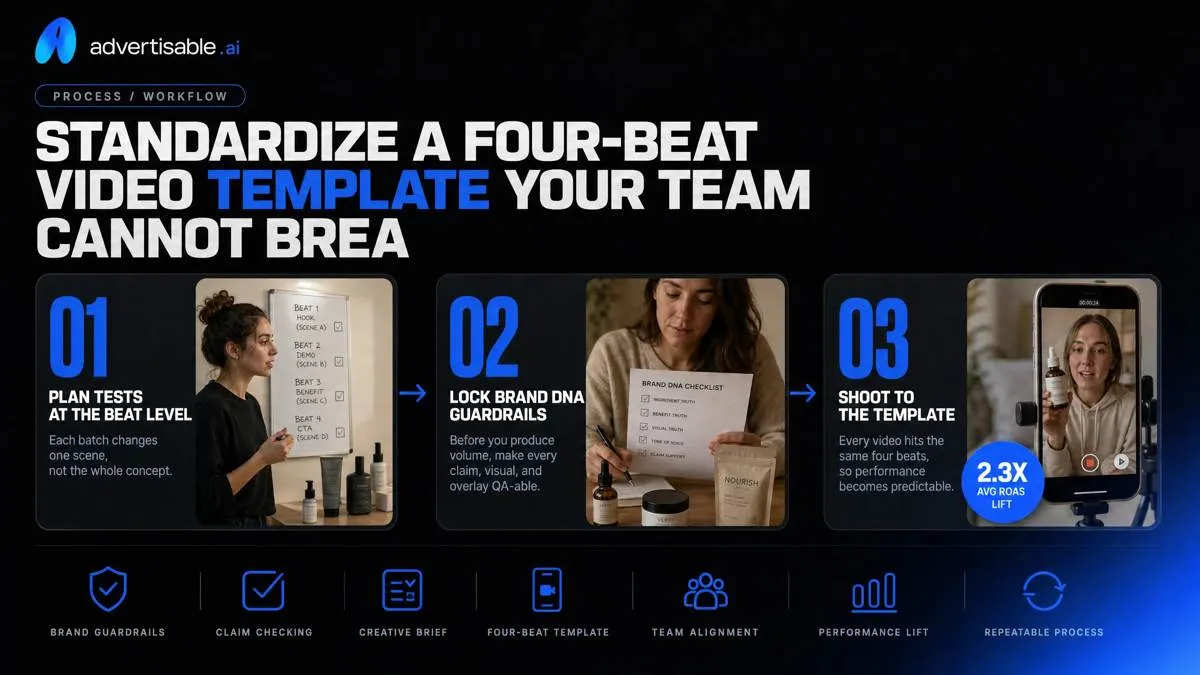
Plan tests at the beat level so each batch changes one scene, not the whole concept. Before you produce volume, lock Brand DNA guardrails so every claim, visual, and overlay is QA-able against what the product page actually supports.
Four-beat creative anatomy
Use the same four beats in every video so you can ship fast and learn cleanly in 48-72 hours. Your only moving part, by default, should be one beat per batch.
Structure the edit like this:
- Hook (0-2s): one promise that earns the stop
- Product moment (2-5s): show what it is and what happens when you use it
- Proof element: one credibility cue (demo, concrete data point, or testimonial clip)
- CTA: a specific action (what to click, where to go, what to do next)
What stays locked during BFCM
During BFCM, you do not want “wins” you cannot reproduce. Lock the body so performance changes map to the one beat you intentionally swapped.
Keep these constants non-negotiable:
- Product moment visuals accuracy: same SKU, same configuration, same on-screen behavior as the claim implies
- Proof element format and source: same proof type and attribution, so you are not mixing credibility shifts into the test
- CTA language and destination: identical words and the same click path, so you are not testing funnel steps by accident
How do you stop Black Friday creative from shipping late?
Late shipping usually is not a production problem. It is an approvals problem caused by unclear inputs (what is locked) versus outputs (what can vary). Treat your brief as a control document: locked offer statement, required disclaimers, and four-beat anatomy, plus a defined “hook pack” output (10 variants where only beat one changes).
Use a launch handoff checklist: final storyboard links, approver sign-off, claim substantiation file, export formats (9:16, 1:1, 16:9), naming convention, and trafficking notes with start and end dates.
Storyboard-first approval gates
Stop approving finished videos. Approve storyboards, because that is where claims, offer language, and structure get set before you multiply variants.
Run three gates with a named owner and a clock: Brand (tone and visuals), Compliance (claims and disclaimers), and Paid Social (test design and readiness). Time-box reviews to 24 hours per gate during peak weeks. If a gate misses the window, ship the last approved template and only swap hooks.
- Reject and regenerate rules: reject only the specific scene that fails; regenerate that beat only, keep the rest locked
- No mixed changes: a rejection cannot add a new offer, new claim, and new CTA in the same revision
- Acceptance criteria per beat: hook promise, product moment accuracy, proof element, CTA with exact action
QA checks that prevent rework
Most rework comes from tiny mismatches that slip into scaled variants. Add a QA gate that is faster than a meeting and strict enough to block bad exports.
In Advertisable AI Studio, we keep QA tied to Brand DNA so reviewers are checking against a single source of truth, not memory.
- Claims and disclaimers match word-for-word across captions, supers, and voiceover
- Offer terms and dates correct (discount, exclusions, start and end date, timezone if required)
- Visuals reflect the real product (current packaging, colorways, included accessories, and what is actually delivered)
AI ad policy requirements
Synthetic media can ship fast, but it still needs policy discipline. You need a documented check for platform rules, plus a hard rule against outcome manipulation.
Use platform AI disclosure policies as your baseline: disclose when realistic people or scenes are AI-generated, and expect automated labeling in some placements.
- No misleading altered outcomes: do not show “before/after” style transformations you cannot reproduce for a typical buyer
- Keep substantiation for claims: screenshots of the product page source, test results, or approved legal language stored with the creative ID
- Policy owner signs off before export: one person accountable for final synthetic media compliance
Run 10-ad hook packs with 48 to 72 hour readouts
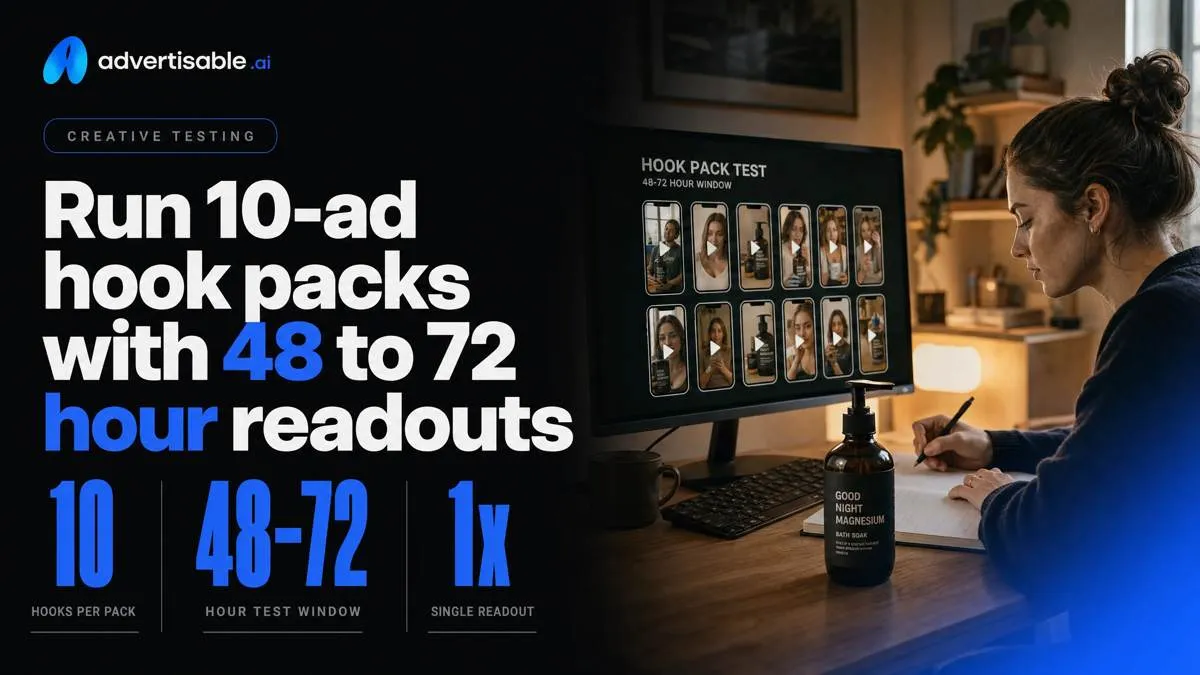
For Black Friday, you get speed and signal by running hook packs on a 48 to 72 hour test window, not by launching a dozen new concepts at once. Keep budget and audience fixed for the full window, then read results once, on schedule. Editing mid-flight creates attribution fog and wastes spend because you cannot tell what actually moved.
Hook pack build rules
A hook pack is a one-variable batch: only the first 2 seconds changes, everything after stays locked. This is how you test aggressively without learning nothing from the results.
Build 10 variants per batch. Your product moment, proof element, CTA, captions style, and offer language stay identical so the platform and your readout are comparing like-for-like.
In Advertisable AI Studio, we do this by locking the four-beat storyboard under Brand DNA guardrails, then regenerating only the hook scene across 10 exports.
Readout metrics and thresholds
Grade hook packs in three gates: thumb stop rate first, CTR second, CVR last. The hook’s job is attention, the ad’s job is clicks, and the funnel’s job is purchases.
Use simple thresholds so decisions are binary:
- Thumb stop rate: if it is not meaningfully higher than your baseline within 48 to 72 hours, do not spend time debating later metrics
- CTR: only advance hooks that also lift CTR versus your control creative
- CVR: final call is purchase efficiency; keep the hook only if CVR holds (or improves) at similar traffic quality
Iterate, hold, or kill
Promote the winning hook family, not just the single winning ad. If “result-first” openings win, generate 10 more inside that family with tighter wording or different first-frame visuals, while keeping the rest locked.
Regenerate only the losing beat. Hooks flat but CTR strong can mean your proof element is the bottleneck, so you swap that scene only, not the whole video.
Stop after two flat batches on the same beat and move on. Forcing more hook variations after two non-movers is how you burn budget without new information.
Scale the winners across Meta, TikTok, and YouTube without re-editing
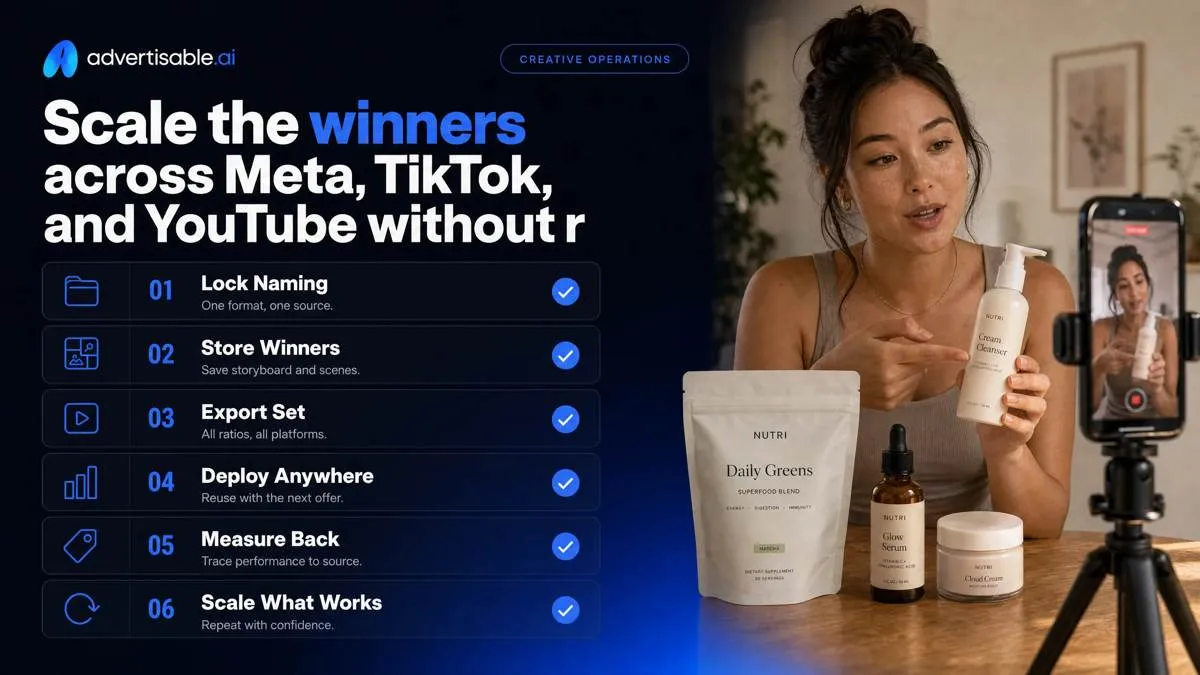
Treat scaling like release management: lock a naming convention (Concept-HookID-BodyID-Placement-Ratio-v#) so you can trace performance back to one storyboard. Then build a Q4 winners library that stores the approved storyboard, the locked body scenes, and the exact export set you can redeploy with the next offer.
Platform-native export checklist
You scale faster when you export once, correctly, into the three ratios you will actually buy: 9:16, 1:1, and 16:9. The acceptance test is simple: nothing critical is cropped, nothing is unreadable on a phone, and captions carry the message with sound off.
Run a quick QA pass before you publish volume.
- Cuts: 9:16 (Reels, TikTok, Shorts), 1:1 (Feeds), 16:9 (YouTube in-stream and placements that favor landscape)
- Safe zones: keep faces, product, and price/offer copy out of UI areas; burn in captions that do not collide with platform buttons
- Legibility: confirm on-device text at arm’s length; normalize audio so the hook is clear in the first 2 seconds
Keep signal while scaling
To scale without losing your readout, reuse identical body scenes across platforms and change only placement packaging. A hook pack is only learnable when everything after second 2 stays fixed.
Separate variants by placement group so you are not mixing different viewing contexts into one performance conclusion. Then hold the script constant mid-scale for at least 48-72 hours; script tweaks reset what you are trying to measure.
In Advertisable AI Studio, this is where scene regeneration matters: lock the body, export per placement, and only swap the hook scene when you need more volume.
Turn Black Friday into controlled iteration, not last-minute invention
If you want clean readouts during Black Friday, you need a workflow that ships variations without changing the parts that already work. That is exactly what we built Advertisable AI Studio for.
Start by pasting your product URL. We extract Brand DNA guardrails so your claims, visuals, and tone stay consistent under deadline. Then you approve a storyboard-first template built on the four-beat creative anatomy, so structure is locked before you generate volume.
Next, create a 10-variant hook pack where only the first 2 seconds change. Hold the product moment, proof element, and CTA constant. Run a fixed 48 to 72 hour readout, then regenerate only the losing scene instead of redoing the whole video.
When you have a winner, export platform-native assets for Meta, TikTok, and YouTube without re-editing.
Frequently Asked Questions
Why do my fast creative tests still feel slow?
Because you are shipping mixed-variable batches that create attribution fog. When you lock the four-beat structure and change only one variable per batch, your 48 to 72 hour readout tells you what actually moved performance, so the next iteration is obvious.
Should I regenerate the whole video or just the failing scene?
Regenerate only the failing scene so you keep winning beats locked and protect your test signal. Full re-renders reintroduce avoidable changes to pacing, captions, and claims, which adds rework and makes results harder to interpret.
What is the four-beat creative anatomy and why does it matter?
It is a standard structure: hook, product moment, proof element, then a specific CTA. It matters because you can lock the body for Black Friday and run controlled hook packs, which improves speed and makes performance differences attributable.