Manage ad creative production at scale control
The production system that manages high-volume ad creative without losing control is a gated workflow that locks Brand DNA, approves storyboards before rendering, and ships one-variable batches on a 48 to 72 hour test cadence.
We built Advertisable AI Studio for this exact operator constraint: you need 50 to 100 variants weekly, but control matters more than generation speed. Our workflow starts from a product URL to extract and lock Brand DNA, routes you through the Storyboard Editor for pre-render approval, lets you repair only the failing beat with the Scene Regenerator, then produces platform-ready exports for Meta, TikTok, and YouTube.
Before you redesign your workflow, you need a shared definition of what “manage ad creative production at scale” actually means in operational terms, and what you will measure week to week to prove you are getting more signal, not just more files.
What does it mean to manage ad creative production at scale?
Scale equals learning per week
Managing ad creative production at scale means you can produce, launch, and interpret enough controlled variants each week to make the next set measurably better. The north star is attributable learning rate: how many decisions you can confidently make from tests in a 7-day cycle.
The anti-metric is “assets shipped.” Shipping 100 videos that mix hooks, offers, and proof elements in the same batch is usually slower learning than shipping 20 ads where only one variable changes and you get a clear read within 48 to 72 hours.
The two failure modes
At volume, most teams break in two ways: brand drift and mixed batches. Both kill learning speed, not just aesthetics.
Brand drift drives QA rework because off-brand colors, claims, or product facts restart approvals and force rebuilds. Mixed batches create noisy results because you cannot attribute performance to the hook when the product moment, proof element, and CTA also changed.
That noise turns into wasted spend because you cannot repeat a win on purpose, so the next week starts from scratch.
Three control metrics we track
We track three metrics because they predict whether your system will compound learning or stall.
- Publishable output rate: percent of generated variants you can export and launch without manual rework for specs, claims, or brand drift
- Time to first readout: target 48 to 72 hours from publish to initial performance signal for the single variable you tested
- Scene-level edit percentage: goal is that most fixes happen by regenerating one weak scene (often the hook) instead of remaking the full video
Days 1 to 14: How do we stop brand drift before it starts?
Lock Brand DNA guardrails
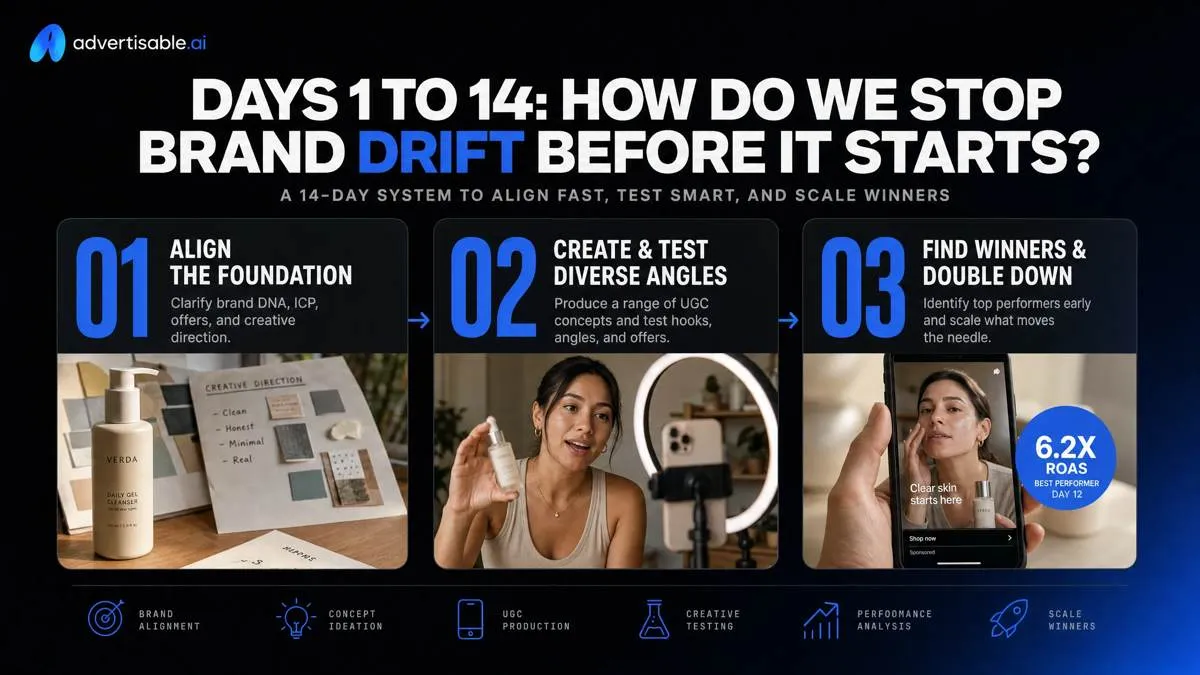
Brand drift starts when “truth” lives in five places. In the first 14 days, force one source of truth: your product URL, treated as the canonical record for facts and approved assets.
From that page, lock what cannot vary across variants: claims (what you can say), tone (how you say it), and visuals (what must be present). In Advertisable AI Studio, this is exactly what the Brand DNA Module is for: you extract from the product link, then constrain generation so scale does not multiply small inaccuracies into a compliance backlog.
- Non-negotiables: approved product claims and required disclaimers, brand voice attributes (do/don’t), required visual elements (logo use, colors, fonts, product-in-use moments)
- Forbidden elements list: unapproved outcomes/guarantees, restricted words, competitor callouts, disallowed before-after patterns, off-brand palettes, unlicensed imagery, and any missing legal line you require
Define roles and gates
Throughput breaks when approvals become a committee. Assign a single owner who can say “ship” or “stop” within 24 hours, and protect that lane.
Then write a lightweight RACI so briefs do not boomerang and QA is not “everyone’s job.” Enforce a two-gate rule so feedback hits cheap artifacts, not rendered exports.
- Approval owner: one person accountable for final brand and claim signoff
- RACI: Responsible writes the brief, Accountable approves, Consulted provides inputs (legal, product, creative), Informed gets status updates
- Gate 1 (storyboard): approve the four beats before any rendering
- Gate 2 (export): approve platform exports only after claim and spec checks pass
Set acceptance criteria upfront
Your fastest path to scale is making “publishable” binary. Define acceptance criteria before you generate anything, so you measure publishable output rate, not just render volume.
Keep the criteria checkable in under 3 minutes per variant, and require fixes at the scene level when a single beat fails.
- Platform-ready specs checklist: correct aspect ratio per placement, safe margins respected, captions on where required, audio levels acceptable, file format and length within channel limits
- Claim safety and disclaimers: every claim maps to an approved statement, required disclaimer line present, no absolute outcomes or prohibited language
- Brand voice pass-fail rules: matches approved tone, avoids banned phrases, uses the same offer framing and CTA language you locked for the batch
Days 15 to 45: Storyboard-first throughput with a QA gate
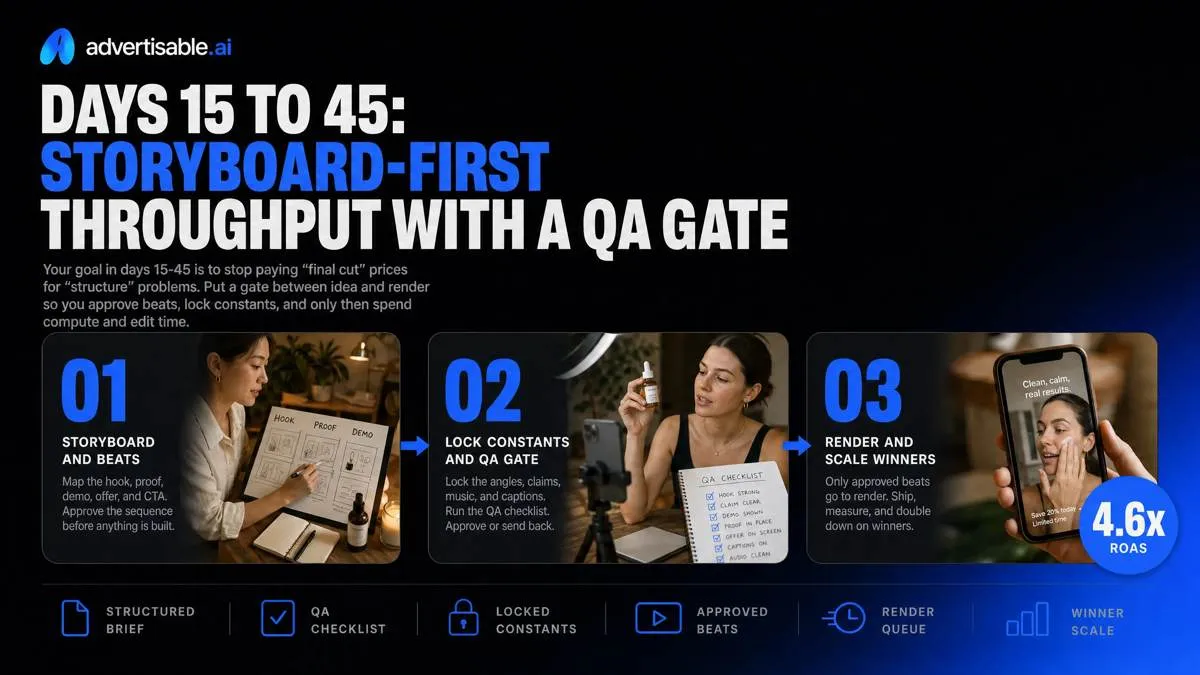
Your goal in days 15-45 is to stop paying “final cut” prices for “structure” problems. Put a gate between idea and render so you approve beats, lock constants, and only then spend compute and edit time.
Approve structure before rendering
Move to an approve-first workflow: no rendering until the storyboard is signed off. In our experience, this is the single biggest lever on publishable output rate because it prevents late-stage remakes.
Route every concept through a Storyboard Editor and define what “approved” means at scene level, not as a vague thumbs-up. This mirrors video production best practices where the storyboard checkpoint exists to catch story problems before a single frame is rendered.
- Workflow: Brand DNA locked, storyboard drafted, reviewer comments at scene level, storyboard approved, then render and export
- Early feedback rules: reject on missing product moment, unsupported proof, or unclear CTA, not on typography polish
- Constants to hold across variants: product moment, proof element, offer, CTA; change only the hook or audience angle per batch
You get fewer full rebuilds because fixes land where they are cheap: on structure, before pixels.
Use four-beat creative anatomy
Keep every variant comparable by forcing the same four beats: hook, product moment, proof element, CTA. The hook earns attention in the first 1-2 seconds, then you show the product immediately so the viewer understands what the ad is about.
Lock proof then CTA so performance differences trace back to the angle, not a moving target. We run batches of 10-20 hook variants per angle, while the product moment, proof, and CTA stay identical across the set.
- Beat 1 (Hook): one angle per version (problem, outcome, objection, use case)
- Beat 2 (Product moment): same visual and phrasing across the batch
- Beat 3 (Proof element): one approved claim or evidence line reused consistently
- Beat 4 (CTA): same verb, same offer reference, same end card
Export-ready QA checks
Treat QA as a gate with pass criteria, not a last-minute scramble. The point is to export once and publish, not export, fix, and re-export.
Use Advertisable AI Studio to keep this tight: you can correct a single failing scene with Scene Regenerator and keep the rest of the approved storyboard intact.
- Safe zones and aspect ratios: no critical text or logos near edges; exports match platform formats (Meta, TikTok, YouTube) before you ship
- Subtitles and on-screen text: captions present, readable at mobile size, and consistent with spoken audio
- Policy-sensitive claim review: proof lines match your approved claim list in Brand DNA; anything unapproved gets removed or rewritten before export
Days 46 to 90: How do we run one-variable hook batches without wasting spend?
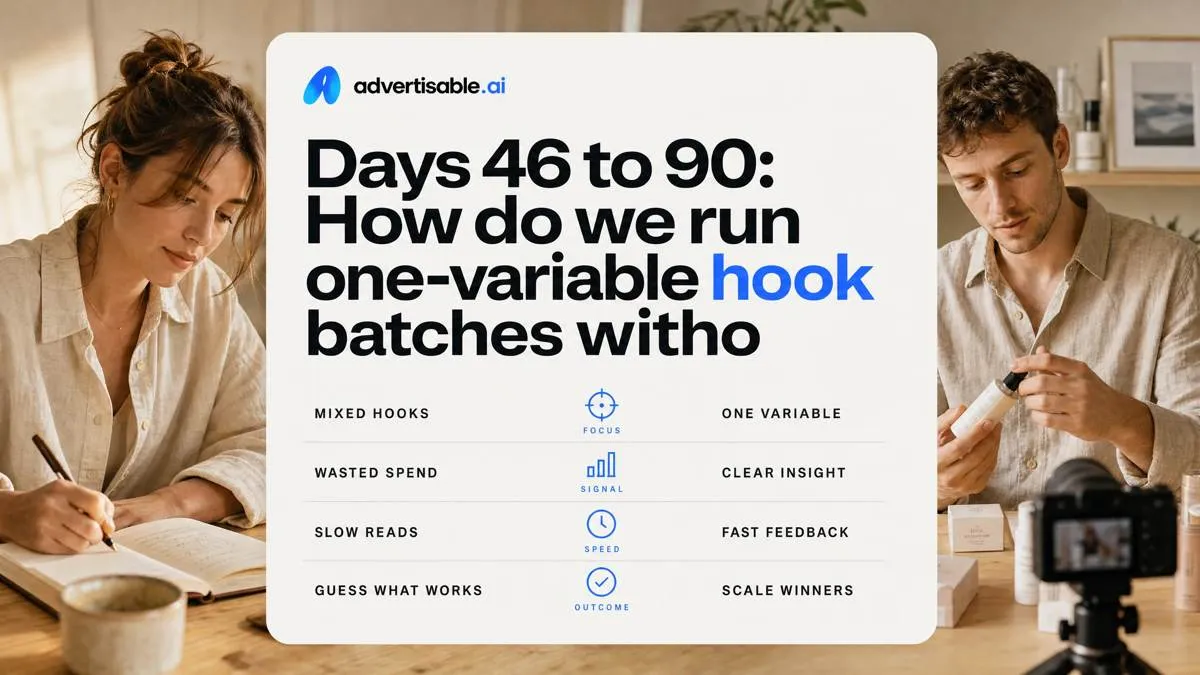
Mixed batches waste spend because you cannot attribute the result to any single change. Days 46 to 90 is where you trade “more ads” for more signal by batching one variable, reading fast, then fixing only what is weak.
Build one-variable hook batches
Run 10 to 20 hook variations per batch and change only the hook. Everything else stays fixed so performance differences map to one input.
Lock your constants in the Storyboard Editor: offer, CTA, and the exact product moment (the shot and line where the product earns belief). Then pick one objective metric for the whole batch so you do not “win” on vanity movement while losing on the goal.
- Batch size: 10 to 20 hooks (scene 1 variations), same length and format
- Locked elements: offer terms, CTA wording, product moment placement and visuals
- One objective metric per batch: thumbstop (first 2 to 3 seconds), CTR, or CVR
48 to 72 hour readouts
Read each batch in a fixed 48 to 72 hour window, and map the metric to the bottleneck you are solving: thumbstop for hook mechanics, CTR for message clarity, CVR for offer-proof alignment.
Use minimum decision rules: do not decide before the window closes unless the ad is clearly broken (policy risk, wrong claim, obvious spec error). For high-spend accounts, industry research on creative testing supports 48 to 72 hours as a directional read, which is the point here: fast learning, not perfect certainty.
- Kill: fails the chosen metric and shows a clear defect you cannot isolate without changing multiple beats
- Iterate: misses the bar but the failure is localized (usually hook or proof phrasing) and can be corrected in one scene
- Scale: clears the bar and holds directionally for the full window without requiring new variables
Scene-level fixes, not remakes
When a batch underperforms, fix the beat, not the whole video. Use the Scene Regenerator to swap only the weak scene (most often the hook, sometimes the proof element) while preserving the winning structure that made the rest of the ad work.
Track edit type so you know where time is going and whether your system is improving. In Advertisable AI Studio, the goal is a growing share of “scene swap” iterations versus full remakes because that is what keeps your learning cadence intact.
- Preserve: the four-beat anatomy, timing, product moment, and CTA when they are not the problem
- Regenerate: only the scene tied to the metric miss (hook for thumbstop, proof for CVR)
- Log: edit type (scene regen vs remake) so you can measure efficiency over weeks
Start your next 72 hour learning loop in Advertisable AI Studio
If your system still optimizes for asset count, you will keep paying the drift and noise tax. The clean objective is learning per week, and the fastest path is a gated workflow you can actually enforce.
Start a $5, 3 day trial of Advertisable AI Studio. Import one core product URL and let our Brand DNA Module lock the non negotiables so approvals do not restart. Use the Storyboard Editor to approve the four beat creative anatomy before anything renders.
Then generate 10 to 20 one variable hook variants, holding product moment, proof element, and CTA constant.
Export platform ready formats for Meta, TikTok, and YouTube, launch a 72 hour test, and come back with one decision: keep the winner, or use Scene Regenerator to fix only the weak opening scene and rerun the batch.
Frequently Asked Questions
What is the difference between publishable output rate and generation speed?
Generation speed is how fast you can render. Publishable output rate is how often a variant clears Brand DNA, claims, and spec checks so you can export and launch without manual cleanup. In practice, publishable output rate is the throughput metric that predicts whether you can sustain weekly testing.
How do I know if a test result is real or just noise?
Keep the batch to one variable, typically the hook, and read results in a fixed 48 to 72 hour window against one primary metric like thumbstop, CTR, or CVR. If you changed multiple things in the same batch, you cannot attribute lift and you cannot reliably replicate the winner.
What is a four-beat creative anatomy?
It is a consistent structure you lock at storyboard stage: hook, product moment, proof element, and CTA. You vary the hook to test angles while keeping the other beats constant so results stay comparable and approvals stay stable.